



Tired of trying to figure out what’s working and what’s not working in your call center? Call center analytics take the guesswork out, putting the spotlight on the metrics that truly matter.
When you analyze your customer interactions with the right tools, you’ll uncover actionable insights that boost efficiency and drive revenue growth. And that means shorter wait times, happier callers, better-coached agents, and stronger business outcomes.
In 2026, you don’t need an in-house data science team to make it happen. With AI-powered quality assurance, real-time performance tracking, and predictive insights built into modern platforms, companies are seeing measurable improvements in agent productivity, customer satisfaction, and operational efficiency without the complexity.
In this guide, we’ll cover the essential call center metrics, what to look for in modern analytics tools, the top platforms driving performance in 2026, and how to leverage data to outpace the competition.
What Is Call Center Analytics?
Call center analytics refers to the collection, measurement, and analysis of key performance indicators (KPIs) and metrics within a contact center to optimize operations. Common KPIs tracked include average handle time (AHT), call volume, customer satisfaction scores, and average hold time.
However, call center analytics goes beyond surface-level metrics to provide insights into the customer experience and agent performance.
Using analytics tools and data, contact centers can identify opportunities to improve efficiency, boost revenue, and enhance customer relationships.
Modern contact centers are taking an omnichannel approach, supporting customer interactions across multiple channels like phone, email, live chat, and social media, using artificial intelligence (AI) and natural language processing (NLP) to evaluate 100% of interactions.
Omnichannel contact centers provide a comprehensive view of the customer journey across these digital and voice channels. This enables companies to connect data points to optimize routing, staffing, and the handoff between channels.

What to Look for in Call Center Analytics Tools
Each analytics platform works differently. As you evaluate options for your contact center, prioritize communication tools that go beyond basic reporting to deliver insights that drive real change. Here’s what matters most in 2026:
Real-time call center analytics for agents and supervisors
It’s no longer enough to only look at historical data.
Instead, look for a solution to provide real-time data to enhance the customer experience. These tools aggregate customer sentiment, call center performance, agent performance metrics, and business outcomes together.
Outside of the call center environment, actionable insights can appear in the form of a CTI-based screen pop when an inbound call arrives at an employee’s phone.
Speech and sentiment analysis
Modern tools use AI to analyze what customers are saying and how they’re saying it. Speech analytics transcribe calls and detect keywords, compliance gaps, and common pain points. Sentiment analysis goes deeper, identifying emotional cues like frustration or satisfaction that might not be explicitly stated. Together, these capabilities help you understand the true quality of customer interactions.
Agent coaching and performance management
The best analytics platforms don’t just track metrics; they help improve them. Look for tools that surface coaching opportunities, provide scorecards for individual agents, and enable managers to deliver targeted feedback based on objective data rather than guesswork.
QA automation
Manually reviewing call recordings is time-consuming and inconsistent. Quality assurance automation uses AI to evaluate 100% of interactions against your standards, flagging compliance issues, missed opportunities, and service gaps, nd enabling detailed agent performance analysis. This ensures every conversation meets your quality benchmarks while freeing up managers to focus on coaching.
Workflow optimization
Analytics should translate into action. The right platform identifies bottlenecks in your processes like excessive transfers, long hold times, or repeat contacts and provides clear paths to resolution. Integration with your existing tech stack (CRM, workforce management, ticketing) ensures insights flow seamlessly into daily operations.
Data integrations
Your contact center software needs to be tightly integrated with your CRM, team chat, and email.
In addition to collecting quality data on agent performance and customer satisfaction, it surfaces valuable insights for your team when they need it most.
Cloud contact centers utilize secure APIs to exchange data with other services behind the scenes.
Instant access to call center metrics
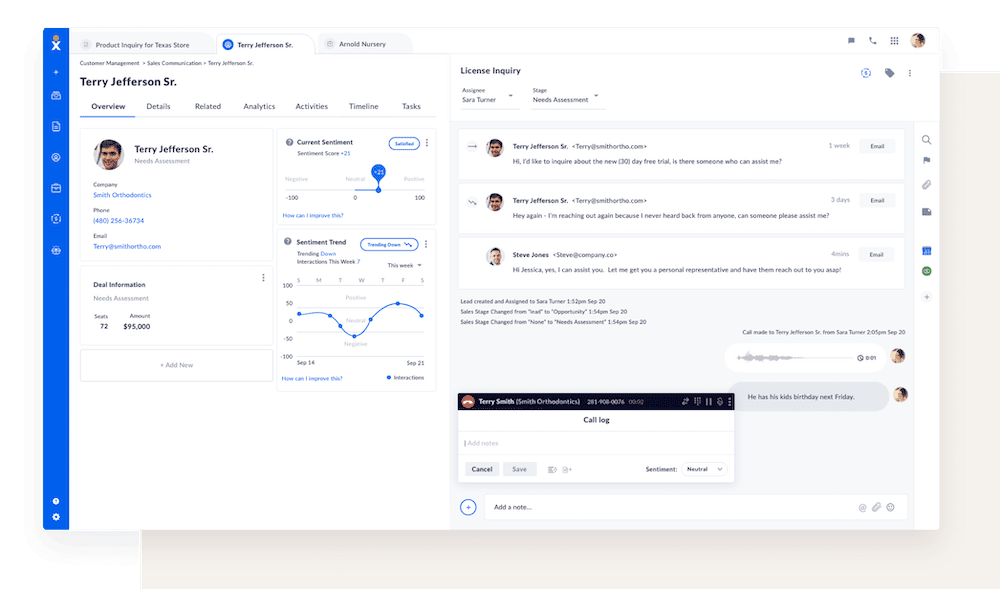
Call data comes in many different forms and can be overwhelming without the right strategy.
Don’t just store data in a hidden repository. Your call center analytics software should come with pre-built reports and a call center analytics dashboard that connect to your most important business metrics.
These reports allow you to quickly turn data into actionable insights rather than struggling to create custom dashboards.
Actionable insights along the customer journey
Every business is unique. While reports will help you quickly take advantage of your call data, they might not cover all your KPIs.
Use Contact Center as a Service software that can track the performance metrics that matter most to your business goals, such as:
- First Response Time (FRT)
- First Contact Resolution (FCR)
- Average Speed of Answer (ASA)
- Average Handle Time (AHT)
- Call Volume Trends
- Average Waiting Time
Tracking these metrics along the customer journey ensures you create a customer success process. Go beyond customer calls to achieve deeper customer engagement.
Omnichannel approach for customer satisfaction
Lastly, your call center analytics software shouldn’t be siloed from the rest of the business.
A good analytics solution combines cross-channel analytics and takes advantage of an omnichannel approach.
Look for an intelligent solution that integrates with your other contact center data, such as:
- Text analytics from live chat, SMS, and mobile apps.
- Interactive voice response input and AI responses.
- Customer survey responses, including post-call satisfaction surveys.
- Marketing data from campaigns, emails, and website visits.
- Sentiment scores from chat and phone conversations.
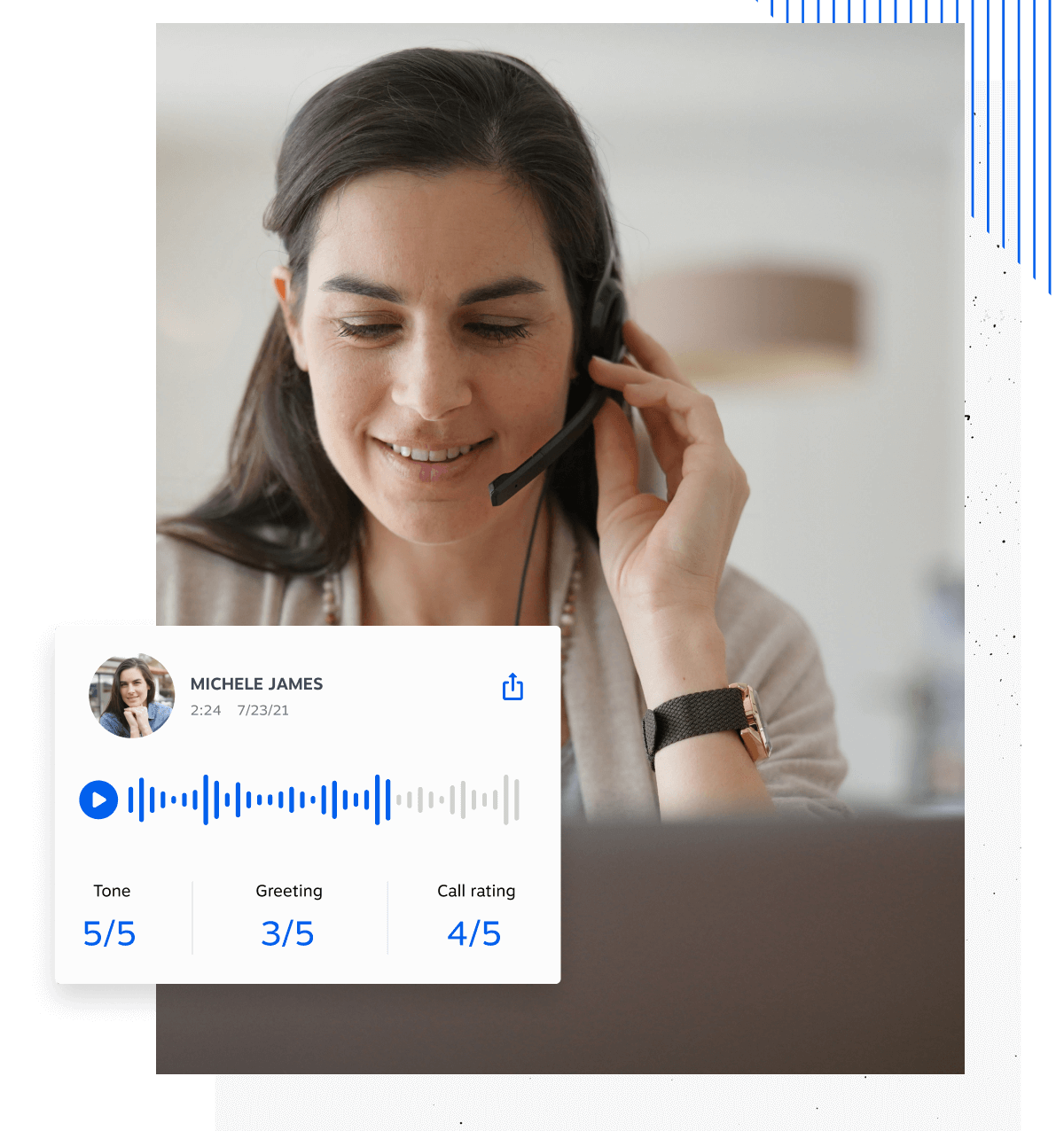
The more customer data you can bring together, the easier it is to create automated workflows, support customer journey analysis, and provide amazing service that puts you above the competition.
5 Types of Call Center Analytics
With the wealth of data available, call centers need to identify the most impactful analytics to guide operations and the customer experience.
Let’s look at the 5 most essential categories of contact center analytics and how to use them:
1. Business intelligence
Customer relationship data such as revenue, churn risk, and past touchpoints provide your agents with insights into the business value of each customer.
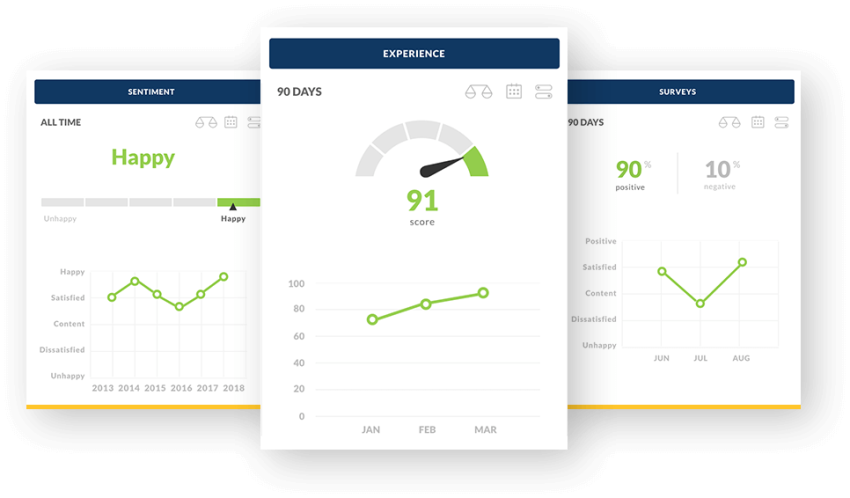
Understanding the entire customer journey helps agents tailor their interactions and focus on the most valuable relationships.
Use business intelligence to prioritize high-value customers, offer personalized promotions, and identify those at risk of churning.
2. Interaction analytics
Interaction analytics provide real-time and historical data on contact center performance indicators like response times, abandonment rates, resolution times, and call transfers.
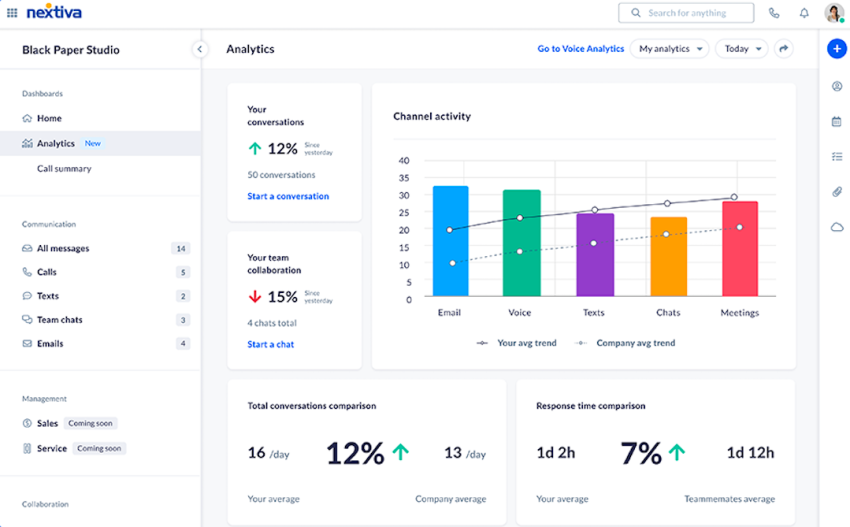
Interaction analytics are great for identifying trends but can also be viewed individually to track agent performance.
Use interaction analytics to set performance goals, identify process bottlenecks, and track improvements over time.
3. Speech analytics
Speech analytics software automatically analyzes call recordings to identify positive and negative keywords in customer conversations.

While in the past, speech insights required a team to listen to and analyze hundreds of hours of conversations, today, you can automate the process with conversational artificial intelligence (AI) and machine learning.
Core components of speech analytics
- Sentiment analysis. This technique analyzes the tone, stress, and emotional state of the caller and the agent. Sentiment analysis helps identify customer dissatisfaction, urgency, and other emotional cues that might not be explicitly stated.
- Speech-to-text conversion. Speech-to-text technology transcribes audio into written text. This transcription enables further analysis, such as keyword spotting and topic classification.
- Keyword and phrase detection. Speech analytics tools scan conversations for specific keywords or phrases that indicate customer needs, compliance issues, or service opportunities. This detection aids in categorizing calls and identifying trends.
- Topic classification. By analyzing the transcribed text, speech analytics can classify conversations into topics, providing insights into common customer issues, questions, or complaints.
Applications of speech analytics in call centers
- Quality assurance and agent training. Speech analytics provides objective data on agent performance, identifying areas of excellence and those requiring improvement. This information is invaluable for targeted training programs and coaching, ensuring agents meet quality standards and improve their interaction skills.
- Customer experience improvement. Analyzing customer sentiment and feedback through speech analytics allows call centers to identify pain points and opportunities for service improvement. This direct feedback from customers is instrumental in enhancing products, services, and overall customer experience.
- Compliance monitoring. In some industries subject to regulatory compliance, speech analytics helps ensure that agents adhere to required scripts and disclose necessary information, reducing the risk of legal and compliance issues.
- Efficiency and resolution. By identifying the reasons for calls and common issues, speech analytics enables call centers to address underlying problems, potentially reducing future call volumes. It also helps in developing more efficient resolution strategies for common queries.
4. Customer surveys
Customer surveys serve as a direct channel for gathering feedback on customer experiences, satisfaction levels, and expectations. This approach allows call centers to quantify and analyze customer sentiments, preferences, and potential areas for improvement.
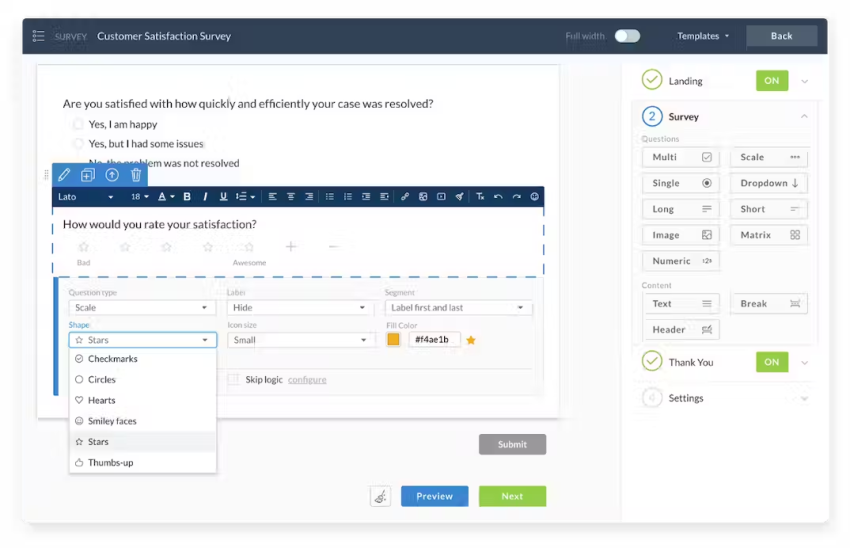
Components of customer surveys
Customer surveys typically include the following components:
Survey types
- Post-call surveys. Conducted immediately after a call, capturing the customer’s fresh impressions of the service received. They measure customer satisfaction (CSAT) and net promoter scores (NPS) to complement your other analytics.
- Email surveys. Sent to customers following interactions, offering a detailed feedback mechanism on their experience.
- SMS surveys. Utilized for quick feedback, these surveys are sent via text message and are beneficial for capturing immediate reactions.
- IVR (Interactive Voice Response) surveys. Automated phone surveys where customers respond to questions through voice or keypad inputs.
Question formats
- Open-ended questions. Allow customers to provide detailed feedback in their own words, offering insights into their thoughts and feelings.
- Closed-ended questions. Include multiple-choice questions, ratings, and yes/no questions, facilitating easy quantification of responses.
- Likert scale questions. Customers rate their agreement or satisfaction on a scale, typically ranging from very satisfied to very dissatisfied, which helps in measuring the intensity of their feelings.
Use survey data to recognize top-performing agents, guide coaching, and resolve common pain points.
5. Predictive analytics
While most analytics detail past events, predictive analytics forecast future outcomes using machine learning algorithms. This predictive insight can significantly enhance decision-making, customer service, and overall efficiency.
For example, call volume forecasting optimizes staffing schedules to match projected demand. With predictive analytics, you can move from reactive to proactive optimizations and anticipate customer needs beforehand.
Core components of predictive analytics
Predictive analytics in call centers relies on several core components and techniques:
- Data mining. This involves extracting useful information from large sets of data. In call centers, data mining helps identify patterns and correlations in customer interactions, agent performance, and call outcomes.
- Statistical analysis. Statistical methods are used to understand and interpret data, providing a basis for predictions. This includes regression analysis, probability models, and other statistical tests that forecast future call volumes, customer behavior, and service needs.
- Machine learning algorithms. Machine learning enables predictive models to learn from historical data, improving their accuracy over time. Algorithms can predict customer churn, the likelihood of specific inquiries, and optimal responses to customer issues.
Application of predictive analytics in call centers
- Forecasting call volumes. By analyzing patterns in historical call data, predictive analytics can forecast future call volumes, helping in workforce planning and resource allocation to manage peak times effectively.
- Enhancing customer experience. Predictive models can identify customers at risk of churn, enabling proactive engagement to address their concerns. Similarly, predicting customer inquiries and preferences allows for personalized service delivery, improving overall satisfaction.
- Optimizing agent performance. Predictive analytics can forecast agent performance, identifying training needs and matching agents with calls where they’re most likely to succeed. This not only boosts agent morale but also enhances call resolution efficiency.

Benefits and Challenges of Using Call Center Analytics
The benefit of analyzing calls is that you can scale your call center operation and achieve consistency. However, over time, call center data analysis has earned a mixed reputation.
Traditional call centers might still be measured by pure call times, handle times, and hold time alone. Here are some pros and cons of using contact center analytics software.
Benefits of using call center analytics
Call center analytics help understand and improve your contact center’s performance. Let’s look at the key benefits:
Measurable performance
Unlike soft skills, which can be subjective, contact center analytics are based on concrete numbers and quantifiable metrics like average handle time, first-call resolution rate, customer satisfaction scores, and more. This measurability allows for precise performance tracking, goal setting, and progress monitoring.
Managers can easily identify areas for improvement and track implemented changes using data.
Integrated solutions
Modern cloud contact center solutions have built-in analytics dashboards and reporting capabilities. Integration eliminates the need for complex setups or specialized technical knowledge. Call center managers can access and interpret call data without having to learn complex query languages (like SQL) or rely on external reporting tools, making it much easier to glean key insights from call analytics.
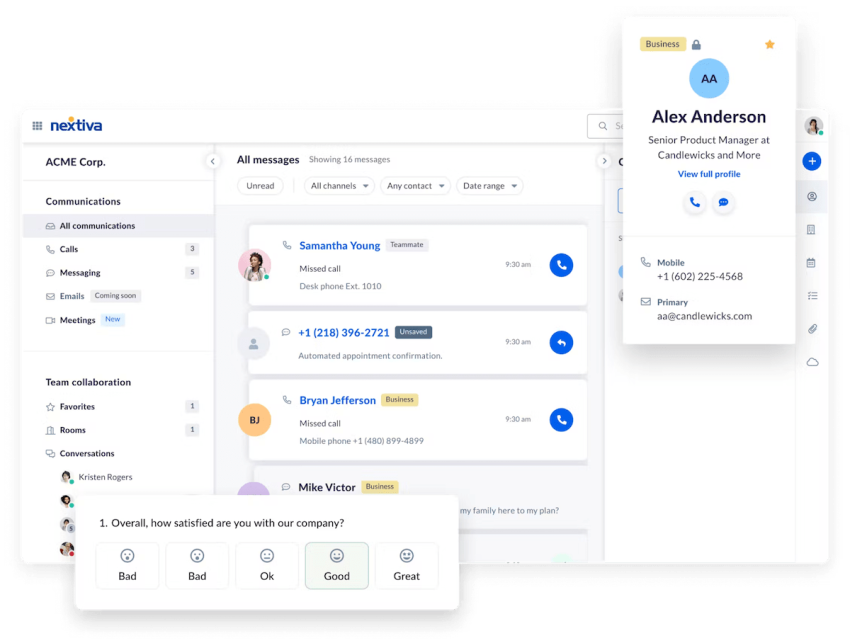
Key customer insights
The most valuable call center analytics provide insights that directly translate into action. For example, a high average handle time for a product-related issue may indicate a need for better agent training or clearer knowledge base resources. Identifying the root causes of performance trends helps managers implement targeted customer service strategies that also reduce operational costs.
Scalability and consistency
Analyzing call data enables managers to identify best practices and implement standardized processes that lead to more consistent service delivery across the team. As your call center grows, analytics can help maintain quality and efficiency via insights into your performance growth as your call volume increases.
Challenges with using contact center analytics
It’s important to understand some of the challenges and limitations of contact center data analytics so you can address and mitigate them and avoid the common pitfalls.
Impersonal nature
By their nature, metrics focus on numerical data and may not fully capture the nuances of individual customer interactions. An overemphasis on metrics like call duration can lead agents to prioritize speed over actually meeting customer needs, obstructing relationship building and reducing customer satisfaction.
Potential for manipulation
When faced with strict performance goals based solely on metrics, agents may find ways to artificially improve their numbers without improving service quality. For example, they can rush or end calls early to reduce average handle time, even if the customer’s problem isn’t fully resolved. This can hurt first-time resolution rates and customer satisfaction.
Isolated view
Contact center analytics provide limited insight into the broader customer journey. For example, you may receive a large number of calls about a specific product issue but cannot determine the cause — a confusing website design or unclear product instructions. Lack of visibility into the broader customer experience prevents identifying and resolving underlying issues.
Over-reliance on traditional metrics
Some call centers still rely on traditional metrics such as average handle time, which may not accurately reflect the quality of services provided. Focusing solely on these metrics can encourage agents to rush calls. You need a comprehensive approach that incorporates a broader range of call center metrics, including customer feedback and quality ratings to assess your call center’s performance.
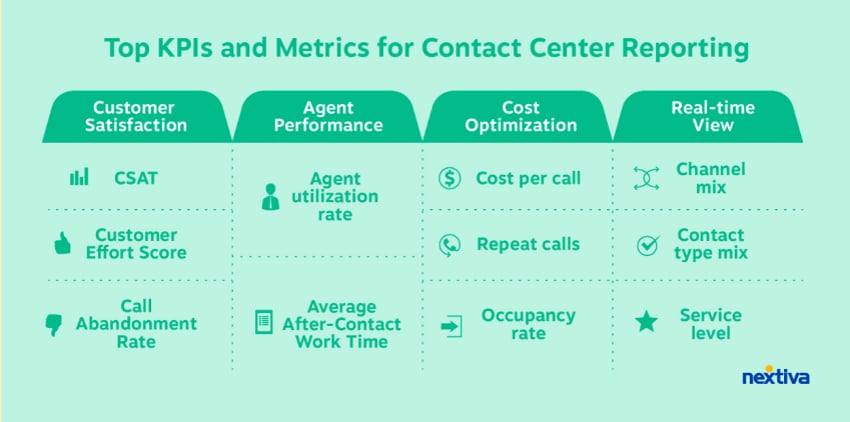
The quality of customer service
Measuring your customer service performance isn’t exactly as straightforward. While using the right software can help track and resolve important issues, you need a call center solution built to enhance customer service and experience.
You can overcome most of these challenges with the right contact center software and a balanced approach to performance management. Choose a solution that provides comprehensive insights and combines quantitative data with qualitative feedback to get the most out of call center analytics.
“When performance is measured, performance improves. When performance is measured and reported back, the rate of improvement accelerates.”
Karl Pearson

Top Call Center Analytics Software
With many call center software available, it’s tricky to determine the best fit for your business.
Here are a few of our top picks:
| Platform | AI QA automation | CRM integrations | Analytics delivery | Pricing model |
|---|---|---|---|---|
| Nextiva | 100% voice and digital interaction analysis | Salesforce, HubSpot, Microsoft Dynamics, Google | Real-time dashboards and AI-powered coaching | Native unified suite (tiered plans) |
| Loris | 100% interaction AutoQA and live chat guidance | Zendesk, Salesforce, LivePerson, Kustomer | Real-time agent guidance and coaching prompts | Custom enterprise pricing |
| CallMiner | 100% omnichannel interaction analysis | Salesforce, Microsoft Dynamics, SAP | Speech analytics, compliance monitoring, and trend reporting | Custom enterprise pricing |
| AmplifAI | AI-triggered quality monitoring and sampling | Salesforce, Zendesk, Workday | Performance dashboards, coaching, and gamification | Per-agent subscription |
| Level AI | 100% multi-channel QA automation | Zendesk, Salesforce, Gladly | Automated scorecards and quality assurance insights | Per-agent subscription |
| Brightmetrics | Historical call reporting and analytics | Salesforce, Zendesk | Pre-built dashboards and performance reporting | Per-system subscription |
The table above offers a quick comparison of the leading solutions. Let’s take a closer look at each platform and its key strengths.
1. Nextiva
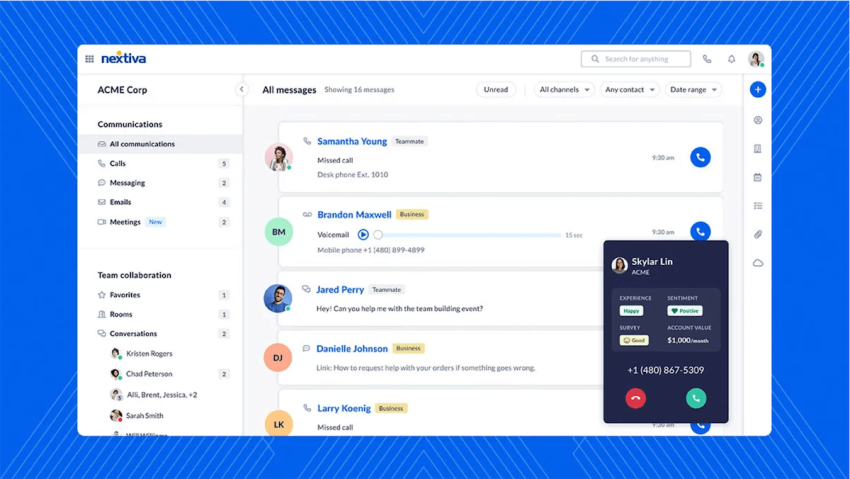
Nextiva offers a comprehensive, all-in-one contact center analytics solution that eliminates vendor sprawl and data silos. Unlike standalone analytics tools that require complex integrations, Nextiva delivers real-time dashboards, agent performance tracking, customer sentiment scores, and quality assurance, all within a unified communications platform.
A key strength of Nextiva is its unified-CXM architecture that consolidates customer data from all touchpoints, enabling faster insights and better decisions. The platform’s built-in AI features power coaching workflows without needing third-party add-ons, and voice and digital channel analytics are unified under one roof.
Beyond core analytics, Nextiva offers real-time wallboards with customizable KPIs, advanced reporting on FCR, AHT, CSAT, and agent productivity, plus 24/7 support with transparent pricing. Over 1 million users and 100,000+ businesses rely on the platform.
2. Loris
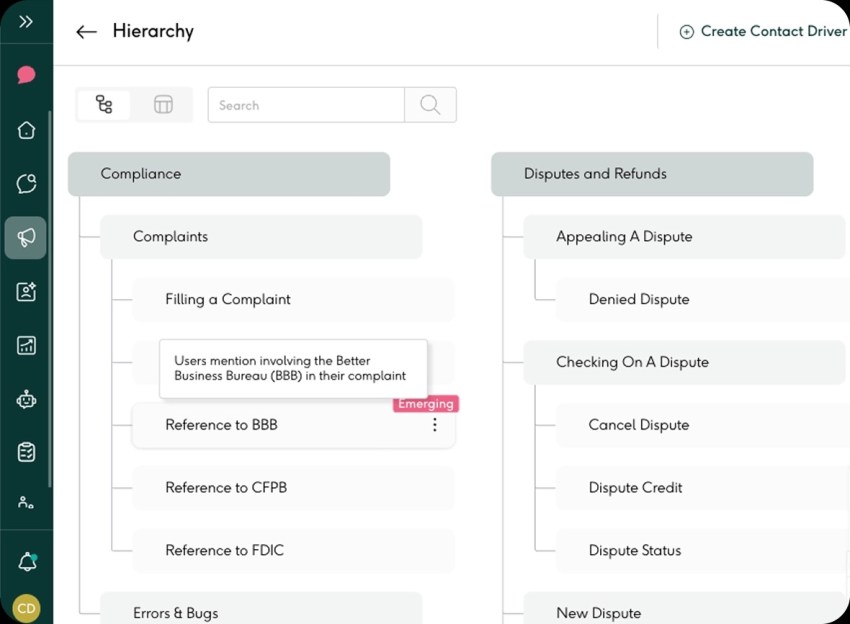
A key strength of Loris is its real-time conversation intelligence. The platform uses conversational AI to analyze live calls, surface helpful information, and coach agents on the fly with AI-driven recommendations for upselling, issue resolution, and retention.
Beyond real-time support, Loris offers post-call analytics that identify coaching opportunities and performance trends, plus integration with leading CRM and contact center platforms.
3. CallMiner
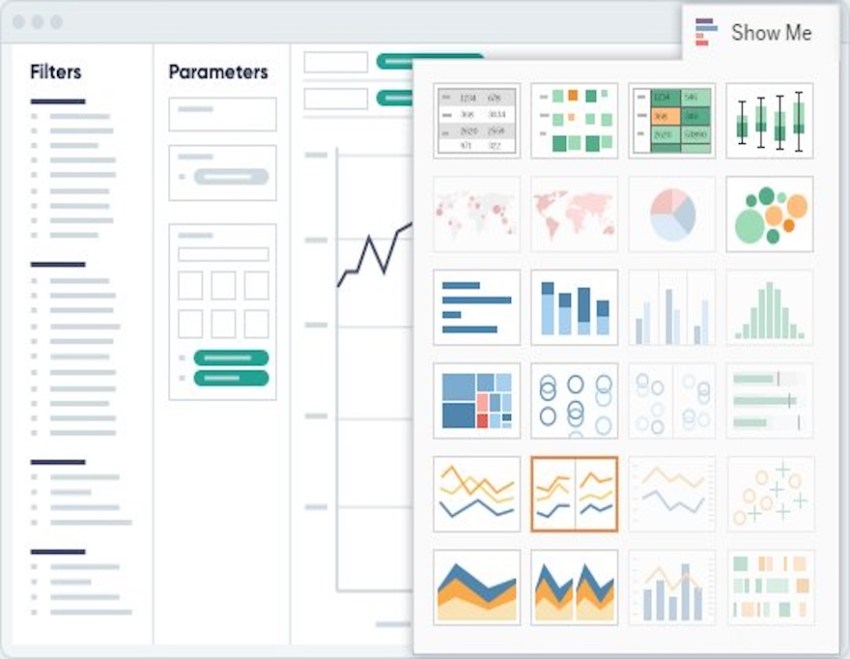
A key strength of CallMiner is its sophisticated speech and text analytics capabilities. The platform can transcribe calls, perform emotion detection, spot keywords, and categorize topics across phone, chat, email, and social media interactions.
Beyond speech analytics, CallMiner offers automated quality management and compliance monitoring, customizable scorecards, and predictive analytics to forecast customer churn and identify revenue opportunities. It’s designed for enterprises that need to analyze massive volumes of interactions.
4. AmplifAI
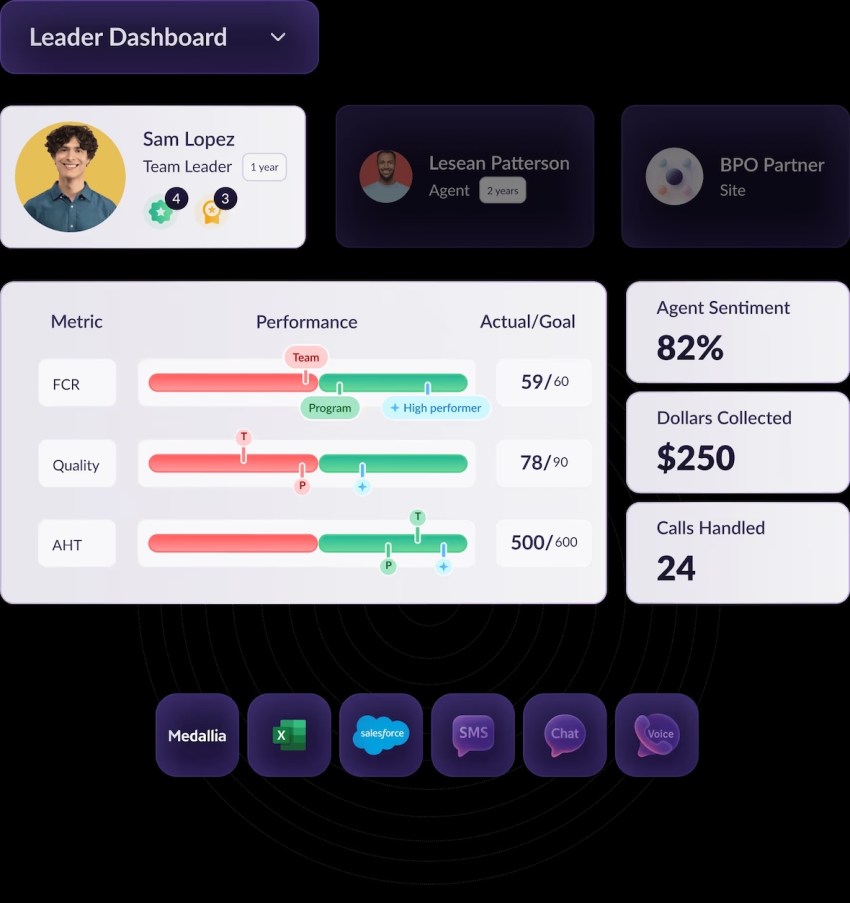
A key strength of AmplifAI is its focus on agent performance through data-driven coaching and gamification. The platform combines analytics with motivational tools like leaderboards, badges, and challenges to keep agents engaged and continuously improving.
Beyond coaching features, AmplifAI offers real-time performance dashboards that surface coaching moments, integration with workforce management tools, and predictive analytics to identify at-risk agents and turnover trends.
5. Level AI
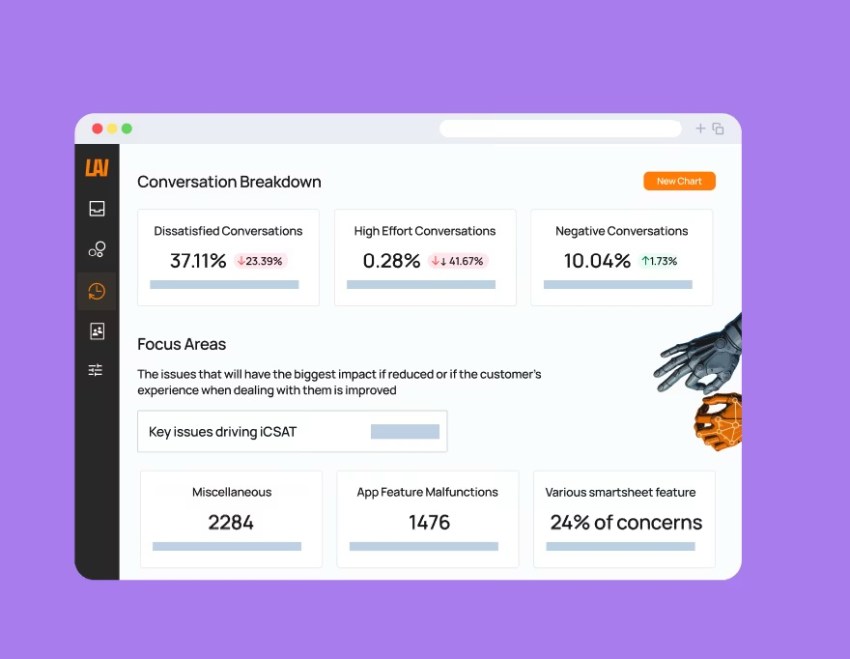
A key strength of Level AI is its automated quality assurance at scale. The platform uses artificial intelligence to analyze 100% of customer interaction calls, chats, and emails, scoring them against your standards to identify quality gaps and compliance issues.
Beyond QA automation, Level AI offers advanced sentiment analysis with emotion detection, root cause analysis for systemic CX issues, and workflow automation that routes insights to the right teams and triggers follow-up actions.
6. Brightmetrics
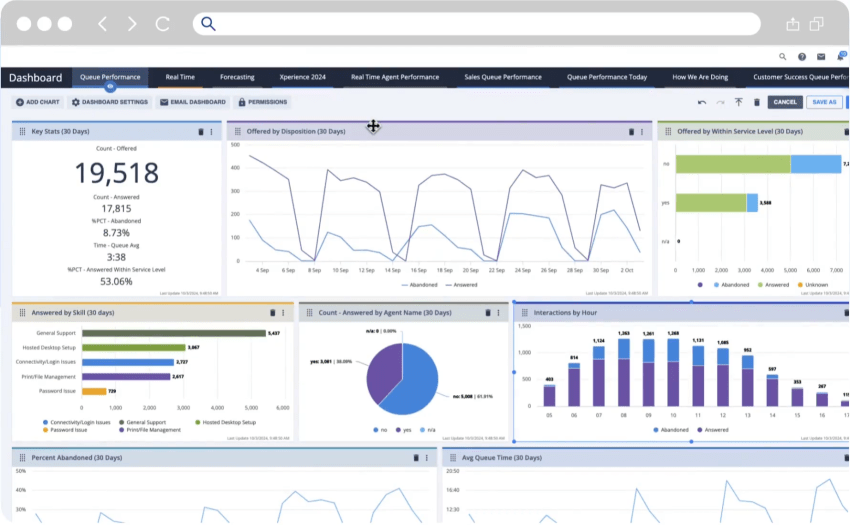
A key strength of Brightmetrics is its ability to provide unified analytics across multiple phone systems and UCaaS platforms. The platform offers pre-built dashboards and reports for popular contact center platforms including Cisco, Genesys, and Microsoft Teams.
Beyond multi-platform reporting, Brightmetrics offers historical and real-time reporting on call volume, agent performance, and service levels, plus customizable visualizations and multi-site reporting capabilities.
💡Tip: Assess your analytics needs and budget to determine the best match for your business. When evaluating options, look for capabilities that align with your reporting needs and integrations with complementary platforms you already use.
Why Nextiva Belongs in the List Above
While the tools above offer powerful, specialized capabilities, Nextiva takes a different approach: integration over fragmentation.
Instead of layering analytics tools on top of disparate systems, Nextiva builds analytics directly into a unified contact center and customer experience management (CXM) platform.
This architectural advantage eliminates common pain points like data silos, delayed insights, and vendor sprawl, and delivers measurable business impact.
The Nextiva advantage: Analytics that actually improve CX
Here’s what sets Nextiva apart:
Here’s what sets Nextiva apart:
1. Real-time dashboards and agent KPIs, all in one place
Nextiva’s analytics aren’t an afterthought or an add-on. They’re native to the platform, giving supervisors instant visibility into call volume, wait times, agent activity, and customer sentiment without switching between tools or waiting for data syncs.
2. Built-in quality assurance and sentiment analysis
While many platforms require third-party integrations for QA and sentiment tracking, Nextiva includes these capabilities out of the box. This means faster implementation, fewer vendors to manage, and consistent data quality across all interactions.
3. Unified-CXM architecture eliminates silos
Nextiva connects voice, chat, email, SMS, and social media interactions in a single customer profile. When data is centralized, insights become more accurate, complete, and actionable. According to recent research, 81% of companies say their customer experience improves when data from all interaction points is consolidated into one system.
4. AI-powered coaching and optimization — no extra tools required
Nextiva’s built-in AI features analyze interactions, surface coaching opportunities, and recommend next-best actions for agents. This empowers managers to turn insights into improvement without needing to purchase, integrate, and train on separate coaching platforms.
5. Proven at scale
Nextiva supports over 1 million users across 100,000+ businesses, including mid-sized companies and large enterprises managing high-volume contact centers. The platform’s reliability, scalability, and ease of use have made it a trusted choice for teams that need analytics that keep pace with growth.
The data backs it up
The benefits of integrated analytics aren’t just theoretical. Research from Nextiva’s 2025 CX Trends study reveals:
- 84% of companies with mature AI adoption report medium to high value from their investments, proving that AI-driven analytics deliver real ROI when implemented thoughtfully.
- 81% of CX leaders say consolidating customer data improves the customer experience, reinforcing the value of Nextiva’s unified approach.
- 53% of companies investing in employee empowerment tools (like coaching and performance analytics) see the highest customer satisfaction scores, highlighting the connection between agent enablement and CX outcomes.
From standalone tool to strategic platform
If you’re evaluating analytics vendors, consider this: Do you want a best-of-breed tool that solves one problem, or a unified platform that solves many?
Nextiva isn’t just an analytics tool. It’s a complete contact center solution that happens to include world-class analytics. That means fewer vendors, faster insights, lower total cost of ownership, and a better experience for both your agents and your customers.
Whether you’re looking to reduce average handle time, improve first-call resolution, boost agent performance, or simply understand your customers better, Nextiva gives you the data and tools to make it happen.

How To Analyze Call Center Data
Collecting customer data is relatively easy these days. But using that data to make better business decisions is still a major challenge.
Research compiled by HBR shows that 72% of companies are falling behind in building a data-led culture.
The problem often starts with legacy technology. Outdated phone systems make it difficult to properly collect and analyze call data.
However, this is changing as more teams adopt cloud-based business phone systems like Nextiva. These systems seamlessly integrate call analytics.
Making sense of contact center data analytics involves three key phases:
- Collection – Compile data from your contact center into a central database, CRM, or analytics software. This makes metrics like resolution rates easy to monitor.
- Analysis – Transform raw data into understandable reports and visualizations for your team. Leverage templates to enhance business intelligence and alignment.
- Action – Use data-driven insights to optimize agent performance. Set benchmarks for customer satisfaction and other key performance indicators to drive sustainable growth.
Without organization and an actionable plan, data is just noise.
Similarly, making big decisions based on flawed data is a waste of time. An integrated cloud call center gives you the data you need to avoid these pitfalls.
Four steps for success:
- Start with a strategy – Decide which insights are most vital and why. Are you aiming to reduce handle times or improve CX with predictive analytics? Connect data goals to concrete business outcomes.
- Get the right analytics resources – Choose intuitive software accessible to your whole team. Customizable wallboards that surface real-time metrics can be very powerful.
- Prepare your team – Deliver insights in simple, engaging ways rather than boring reports. Foster excitement and buy-in around data.
- Encourage data-based decisions – Engage staff in using data versus instinct to guide choices. Consider tying incentives to customer satisfaction and retention targets powered by call analytics.
With the right vision, tools, and culture, call center analytics can transform your business from guessing about customers to truly knowing them.
Advanced Analytics to Improve Business Operations
Of course, calls aren’t the only way your customers get in touch with you.
For those with an omnichannel contact center comprising calls, social media, chat, and email, you’ll have access to even more advanced analytics. These advanced analytics tools are shaping the future trends in contact center operations and customer experience management.
Here are a few more to consider:
Business intelligence
The next level up from call center analytics is tried and true customer intelligence. Business intelligence lets you examine your customer base’s Recency, Frequency, and Monetary (RFM) constructs.
RFM analysis enables you to determine if customers are completing more purchases and generating more revenue. This blends your contact center, payments, and CRM data to aggregate customer behavior.
Text analytics
With more users looking for support through real-time chat, you’re sitting on a goldmine of text-based data.
Text analytics collect and analyze conversations and metrics from both live chat and AI-powered chatbots. Use terms and phrases customers already know.
For instance, when giving customers a link to update billing information. So instead of “Update my payment method,” you might want to use “Update my credit card” if that’s what they include in customer service requests.
Self-service analytics
Related to the above, you can mitigate high call volumes with self-service options. The majority of customers will try to resolve issues on their own before reaching out.
By collecting data on your most-viewed help docs, you can identify potential problems and give your agents more context about incoming customer calls.
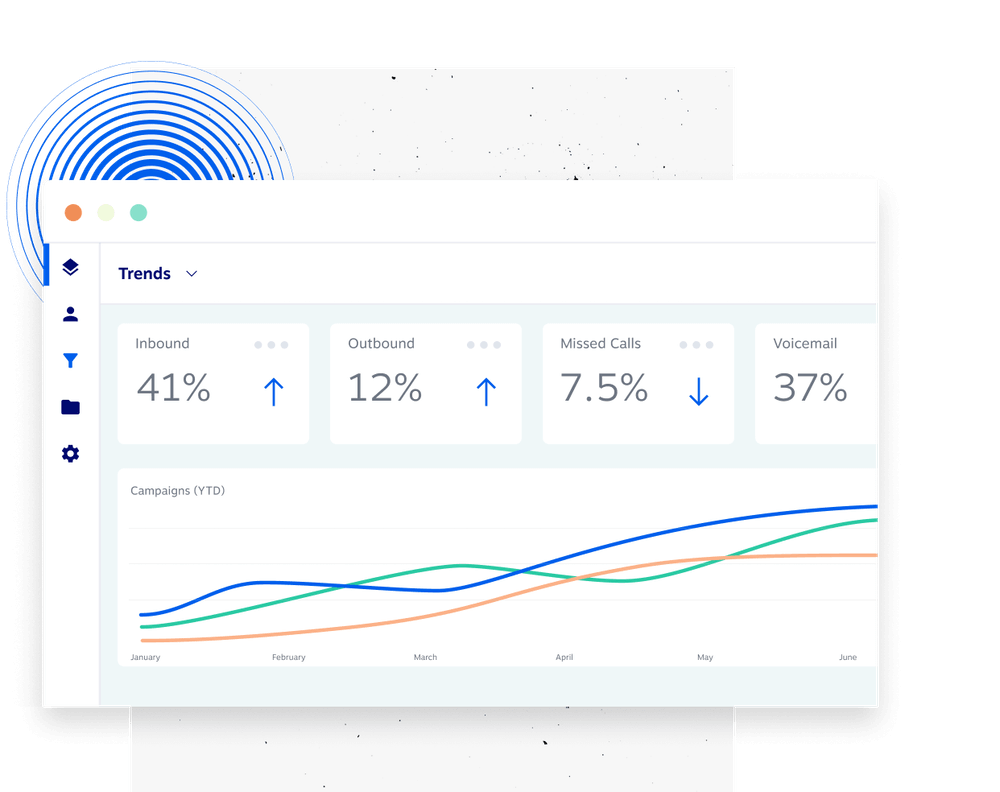
These data sources help you understand your customers better and provide more efficient support.
The goal is to turn the data behind your customer interactions into business outcomes: more revenue, higher customer loyalty, and decreased service costs.
How to Use Call Center Data
Each piece of data you collect is like a piece of a puzzle. Individually, they don’t offer much value. But when put together, you get a complete picture of the customer journey.
Phone call data is most useful when sharing the results with your team, and call center agents can act on it.
While some analytics software lets you build custom dashboards, it’s a good idea to start with templated reports that make critical metrics easy to understand.
1. Track agent performance
Call center supervisors can use specific reports to check in on one or more agents, find bottlenecks, and identify areas for coaching.
For example, digging into the average handle time by skill report can show if they’re taking longer than average to reach a resolution and need coaching.
Here are a few other standard reports you can use to improve call center agents’ performance:
- Calls by skill report: If you use an automatic call distributor (ACD) for routing inbound calls, you can see the kinds of calls they take. It’s a great way to highlight high-performers and identify additional call queues.
- Agent summary reports: Sometimes, you just need an overall view of an agent’s performance. The summary report covers metrics around the average and longest times spent on various types of calls.
- Activity reports: Keeping track of agent productivity is never easy, especially if you’re working remotely. The activity report gives you a historical view of each agent’s call activity, dispositions, and time spent in different call states.
For routing inbound calls, you can see the kinds of calls they take. It’s a great way to highlight high performers and identify additional gaps.
2. Improve customer relationship
Call reports can also assess broader trends with a call center’s performance. Even when agents aren’t talking to customers, you should monitor that.
For example, the abandonment rate is the percentage of callers that hang up before reaching an agent. In some cases, this is a good thing, like after hearing the hours of operation or the address in the IVR.
But for most, an abandonment rate of less than 10% is the industry average.
In that case, you might choose to make ‘speed of answer’ your primary metric.
Here are a few more call center reports you can use:
- Incoming calls report: Customers expect a swift response when they call. This report shows historical and real-time customer data on how you’re handling incoming calls, including wait times, queued calls, and missed calls.
- Service level report: It’s not always easy to know where your support team is missing the mark. The service level report shows how well your contact center can answer a percentage of calls within the defined period. Industry example: 85/30 means 85% of calls are answered within 30 seconds.
- Summary report: Think of this as a health check for a cloud contact center. The summary report can show your average wait time, abandonment rate, speed of answer, and call center occupancy rate.
For more guidance, Forrester does a nice job of breaking down the different customer experience (CX) metrics and how you should contextualize them in this diagram.

3. Act on customer data in real-time
So far, most of these contact center analytics are aggregated weekly and monthly. Today, agents can turn a mediocre phone call into an outstanding customer experience.
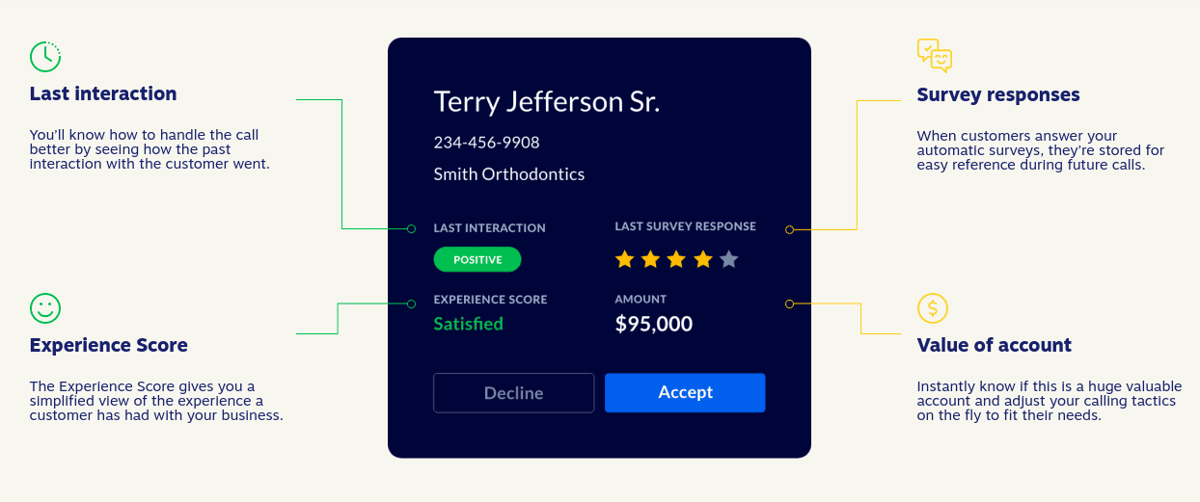
How? It’s all about real-time customer sentiment. In particular, agents can view and act on survey responses, unresolved requests, and other customer journey data on the account.
With the functionality of cloud phone systems, you can use real-time data for significant customer service improvements — even if you don’t work in a call center.
Employees can view actionable insights such as:
- Past purchases
- Customer satisfaction score
- Customer effort score
- Customer revenue
- Account tenure/age
- IVR key presses
- Recent support inquiries
- Preferred contact method (email, phone, social media)
- Order preferences (shirt size, flavor, method of payment)
- Self-service attempts
Turn Analytics Into Action With Nextiva
Call center analytics have evolved from basic reporting to strategic intelligence. In 2026, the best-performing contact centers don’t just track metrics; they act on them. In fact, a study by McKinsey shows that companies embracing call center analytics reduce average call handle time by 40% and optimize conversion rates by almost 50%!
When you use real-time insights to coach agents, AI-powered tools to automate quality assurance, and unified platforms to eliminate data silos, you drive better customer experiences. Whether you choose a specialized tool like Loris, CallMiner, or AmplifAI, or opt for an integrated platform like Nextiva, the key is selecting a solution that turns data into results.
Nextiva delivers the clarity contact center leaders need through powerful contact center analytics that go beyond dashboards to drive better business outcomes. You get real-time insights into call volume, wait times, agent performance, and customer sentiment, while diving deep into historical data to identify trends and optimize operations.
With a user-friendly interface, customizable reporting, omnichannel capabilities, and built-in AI tools, Nextiva provides a complete view of your customer journey without the complexity of managing multiple vendors.
Take the guesswork out of managing your contact center. Let Nextiva power your customer experiences with analytics that are real-time, actionable, and built right in.
Your call center doesn’t have to be complex.
See why 150K+ brands simplify their business communications with Nextiva.
Call Center Analytics FAQs
By analyzing call center analytics data, managers can identify pain points, optimize staffing, and coach agents effectively. This leads to faster resolution times, personalized service, and better overall service quality, enhancing customer satisfaction.
Key metrics include average handle time (AHT), first call resolution (FCR), average speed of answer (ASA), call abandonment rate, customer satisfaction score (CSAT), and net promoter score (NPS). These metrics help measure agent performance and operational efficiency.
Common types include interaction analytics, speech and sentiment analysis, predictive analytics, omnichannel analytics, and self-service analytics. Each provides insights into different aspects of contact center operations and customer behavior.
Predictive analytics uses historical call center data to forecast future call volumes, customer needs, and potential issues. This enables contact center managers to anticipate demand, optimize staffing, and proactively address customer expectations.
Speech analytics uses natural language processing to transcribe and analyze customer calls. It detects keywords, sentiment, and compliance issues, helping improve agent performance and identify common customer complaints.
Real-time analytics allows supervisors to monitor ongoing interactions, respond quickly to spikes in call volume, and provide immediate coaching. This helps maintain service levels and deliver seamless customer experiences.
Dashboards provide visual, real-time access to key metrics and performance data. They enable contact center leaders to quickly identify trends, bottlenecks, and coaching opportunities to improve overall contact center operations.
Yes. By identifying inefficiencies, optimizing agent scheduling, and reducing call handle times, call center analytics help lower operational costs while maintaining or improving service quality.
Analytics provide detailed agent performance analysis, highlighting strengths and areas for improvement. Managers can use this data to tailor coaching, recognize top performers, and boost agent engagement and productivity.
Strong call center analytics platforms include Loris, known for real-time conversational AI coaching; CallMiner, which excels in speech and text analytics for large enterprises; AmplifAI, which focuses on agent performance and gamification; and Level AI, which offers automated quality assurance at scale.
Nextiva stands out as the best solution for call center analytics due to its comprehensive, unified platform that integrates advanced analytics directly into its contact center and customer experience management system. However, Nextiva’s integrated architecture, built-in AI features, and proven scalability make it the top choice for businesses seeking to boost customer satisfaction, improve performance, and streamline operations with call center analytics software.
