



Avaya has long been a major player in business communications, offering VoIP, unified communications, and contact-center tools. But as more and more companies grow, go remote, and rely on cloud-based workflows, they find that Avaya’s legacy system limitations no longer fit their needs.
You may need a platform that’s easier to manage, more cost-effective, built for integrations, or is simply more modern, using technology like artificial intelligence. Whatever your reason, if you’re ready to make a change away from Avaya, you’ve come to the right place.
This guide breaks down the top seven Avaya competitors—covering features, pricing, pros and cons, and key factors to consider—so you can choose the best fit for your business.
Here’s a quick list of the Avaya alternatives we’ll review in this article:
- Nextiva: Best for SMBs and enterprises that want a user-friendly, cost-effective unified communications platform with flexible plans and transparent pricing.
- Genesys: Best for large organizations and contact centers that need wide channel coverage, advanced routing, and strong workforce management tools.
- Talkdesk: Best for businesses of all sizes looking for a scalable, cloud-based contact center solution with strong AI capabilities and automation feature.
- Five9: Best for medium and large enterprises and contact centers needing a high degree of scalability, omnichannel support, and AI-driven automation.
- 8×8: Best for businesses looking for a comprehensive cloud-based communication solution with robust analytics and contact center capabilities.
- Aircall: Best for teams seeking a cloud-based call center solution with robust integration capabilities and prioritizing ease of use and global reach.
- Dialpad: Best for businesses that need a cloud communication solution with intelligent AI-powered features and a focus on seamless integration across voice, video, messaging, and online meetings.
Why You’re Looking for an Avaya Alternative
Many businesses are reevaluating Avaya because the platform no longer fits their operational or communication needs or long-term plans.
So if you’re exploring alternatives, it’s likely because you want technology that’s easier to manage, more adaptable, and better aligned with the way your teams and customers communicate today.
Here are the most common reasons for making the switch:
- High maintenance costs tied to aging hardware
- Limited flexibility for remote and hybrid teams
- Slow or complex updates
- Difficulty integrating with CRM, help desk, or workflow tools
- Uncertainty about ongoing support and future upgrades
- Challenges scaling for multiple locations or global teams
- The need for a fully cloud-based or unified communication system
1. Nextiva
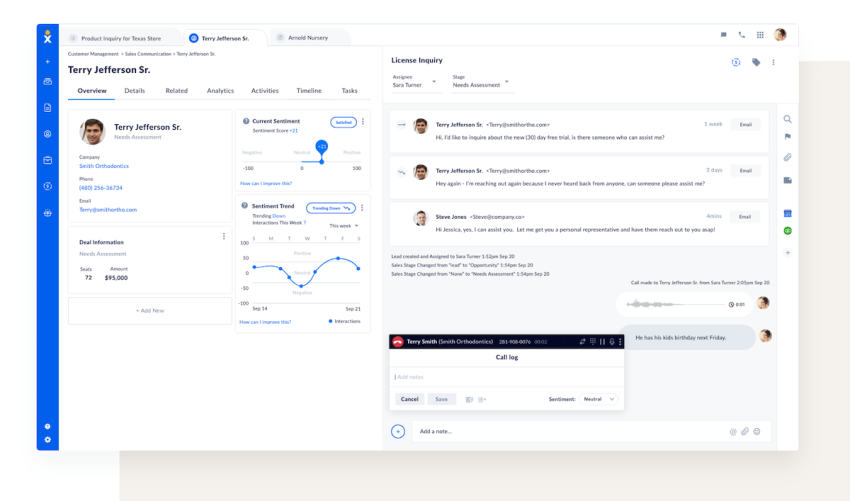
Nextiva is a cloud-based communication platform designed for businesses of all sizes. It combines features like business phone service, video conferencing, collaboration tools, and customer experience functionalities into a single, unified solution.
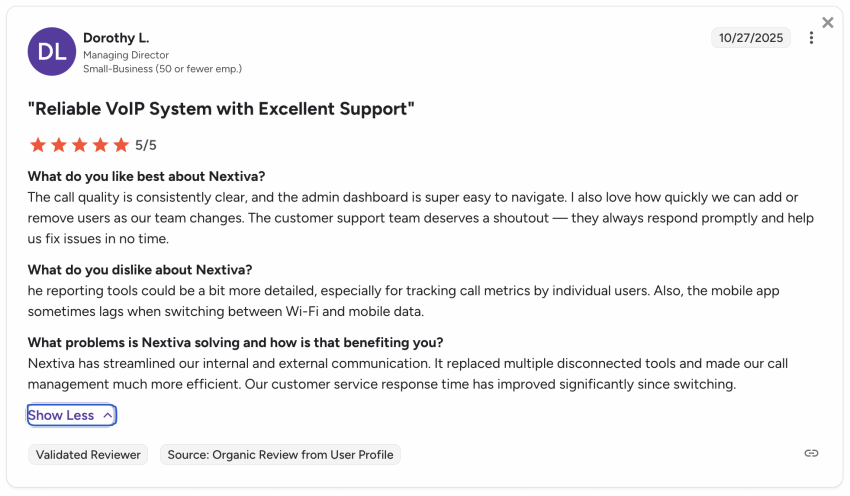
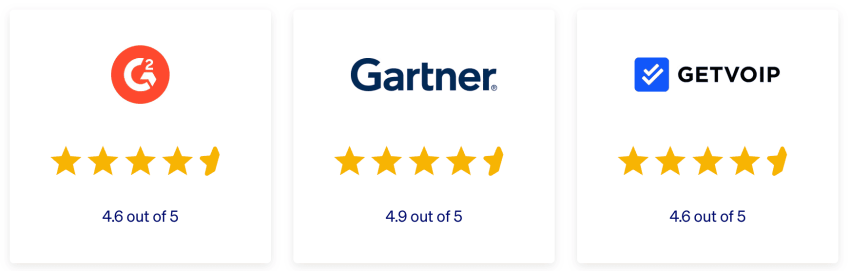
Nextiva has earned recognition from U.S. News as the best business phone system, and reviewers on platforms like G2 and Gartner consistently rank it highly.
Why choose Nextiva over Avaya?
While Avaya has a strong presence in the enterprise market, Nextiva has built a solid reputation for these reasons:
- Cloud-based architecture: Nextiva’s cloud-based platform eliminates costly hardware and maintenance, allowing businesses to quickly scale their communications infrastructure.
- Reliability and security: With eight points of presence, carrier-grade data centers, and 24/7 monitoring, Nextiva delivers 99.999% uptime and meets stringent security standards, including ISO/IEC 27001, SOC 2, PCI, GDPR, and HIPAA compliance.
- Award-winning support: Our 24/7 award-winning support team ensures that customers receive prompt assistance over the phone, email, or chat, whenever needed.
- Cost-effective pricing: You’ll get flexible pricing options, including monthly and annual plans, making this an affordable solution for businesses of all sizes.
- Robust feature set: You’ll love our comprehensive suite of features (see below👇).
Key features
- HD video calls with unlimited participants, messaging, and screen-sharing
- Advanced call routing with auto-attendant and intelligent call forwarding
- Call recording and voicemail transcription for quality assurance and compliance
- Mobile app for iOS and Android with full VoIP functionality
- Call analytics with real-time tracking, detailed reports, and dashboards
- Call Pop for an enhanced customer experience with screen pops
- Integration with popular tools like Google, Microsoft, and Salesforce
- Intuitive drag-and-drop call flow editor for automated workflows
Enterprise-level features
For enterprises, Nextiva offers plenty of features to meet the demands of larger organizations, including:
- Advanced call routing and queuing for efficient call distribution
- Omnichannel support across voice, chat, SMS, and digital channels
- Tight integration with Five9 for enterprise-grade contact center needs
- Scalable and secure platform for large-scale deployments
- Customizable call flows and advanced reporting capabilities
Nextiva pricing
Pricing varies based on team size and whether you choose monthly or annual billing:
- Core ($15/user/month): The foundational plan provides small teams with essential communication tools, including inbound and outbound calling, business SMS, video conferencing, and team chat, as well as a virtual receptionist and integration with key contacts.
- Engage ($25/user/month): Designed for growing businesses, this tier offers powerful customer engagement features like direct SMS from customers to the team, a toll-free number, advanced speech analytics, web chat, and call and video recording.
- Power Suite CX ($75/user/month): This premium plan is a complete solution for sales and service teams. It offers omnichannel capabilities for voice and web chat, process automation, AI-powered transcription, real-time dashboards, and intelligent call routing for up to 100 agents.
Enterprises can also opt for monthly contact center plans that start at $75 per user, with optional usage-based plans available.
Pros:
- Unlimited calling, video conferencing, and business texting (US only) starting at the lowest plan
- Easy setup and user-friendly interface
- Free local and toll-free phone numbers
- Integrations with popular business tools (CRM, email, etc.)
- Scalable solution for growing businesses
- 24/7 customer support
Cons:
- No free plan available
- Limited admin controls for some IT departments
Best for
Nextiva is a user-friendly, cost-effective unified communications platform for SMBs and enterprises that offers flexible plans and transparent pricing.
📚 Read Nextiva reviews on GetVoIP (4.6 stars)
2. Genesys
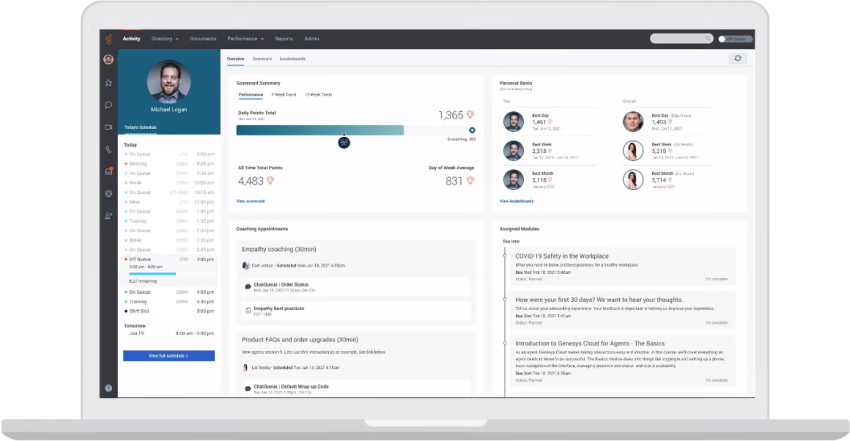
Genesys provides a cloud-based contact center platform designed for organizations that need advanced routing, digital channels, and strong customer experience capabilities. It supports voice, chat, email, messaging apps, and workforce management within a single environment — built on their AI-Powered Experience Orchestration platform.
Key features
- Omnichannel engagement: Handle voice and digital interactions in one workspace. Agents can respond across channels without switching tools.
- Intelligent routing: Use skill-based and AI-driven routing to connect customers with the right agents and reduce wait times.
- Workforce optimization: Access forecasting, scheduling, quality management, and performance tools to support large service teams.
Reliability, security & compliance
Genesys Cloud CX operates on a distributed cloud architecture with built-in redundancy to minimize service interruptions. The platform delivers guaranteed uptime of 99.99% and global security compliance with GDPR, SOC 2, HIPAA, HITRUST, PCI DSS, and FedRAMP certification.
Genesys pricing
- Genesys Cloud CX 1 (for voice contact centers): $75/user/month
- Genesys Cloud CX 2 (for omnichannel contact centers): $115/user/month
- Genesys Cloud CX 3 (for omnichannel contact centers with full WEM capabilities): $155/user/month
- Genesys Cloud CX 4 (for omnichannel contact centers that want more AI experience): $240/user/month
Who’s it best for?
Large organizations and contact centers that need wide channel coverage, advanced routing, and strong workforce management tools.
📚 Read Genesys reviews on GetVoIP (4.2 stars)
3. Talkdesk
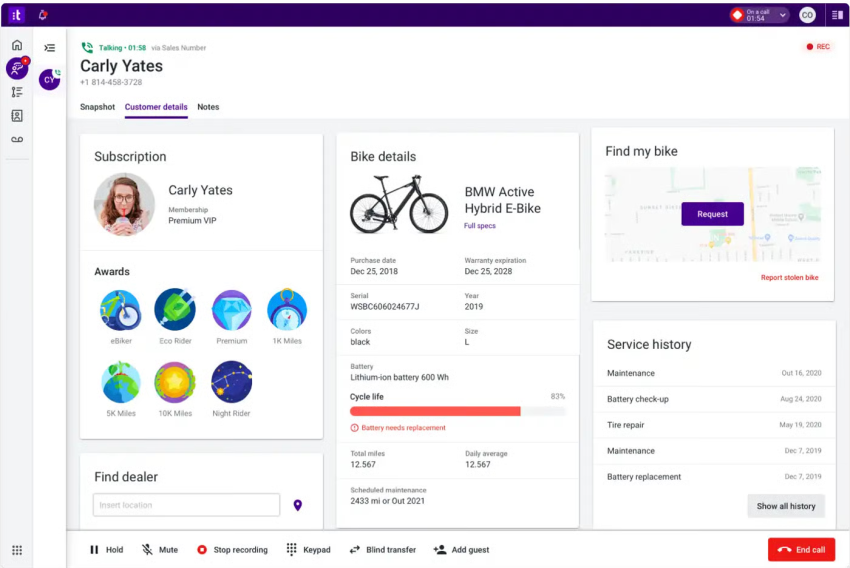
Talkdesk is a cloud-native contact center platform for enterprises and large teams seeking modern customer service tools. It delivers omnichannel engagement, AI-powered automation, and industry-specific workflows — all built to scale globally and integrate with existing systems.
Key features
- Omnichannel routing & engagement: Voice, chat, email, SMS and social channels handled in one unified system.
- AI & workflow automation: AI-powered automation including AI agents for knowledge delivery, workflow automation, and real-time actionable insights.
- Low-code/no-code customization: Administrators can configure flows, integrations and automations without heavy development.
Reliability, security & compliance
Talkdesk CX Cloud™ features 30+ security certifications, including SOC 2 and 3, ISO 27001, PCD DSS Level 1, HIPAA, and GDPR. The platform offers 99.999% uptime SLA for their Industry Experience Clouds and Elite editions and ensure global low latency and high availability with eight points of presence (PoPs) strategically distributed around the world.
Talkdesk pricing
Talkdesk offers three main pricing packages:
- CX Cloud Digital Essentials: $85 per user/month
- CX Cloud Voice Essentials: $105 per user/month
- CX Cloud Elite: $165 per user/month
Who’s it best for?
Talkdesk is suitable for businesses of all sizes looking for a scalable, cloud-based contact center solution with strong AI capabilities and automation feature. It is especially valuable for companies seeking rich integrations, flexible customization without heavy coding, and advanced analytics for optimizing performance.
📚 Read Talkdesk reviews on GetVoIP (4.6 stars)
4. Five9
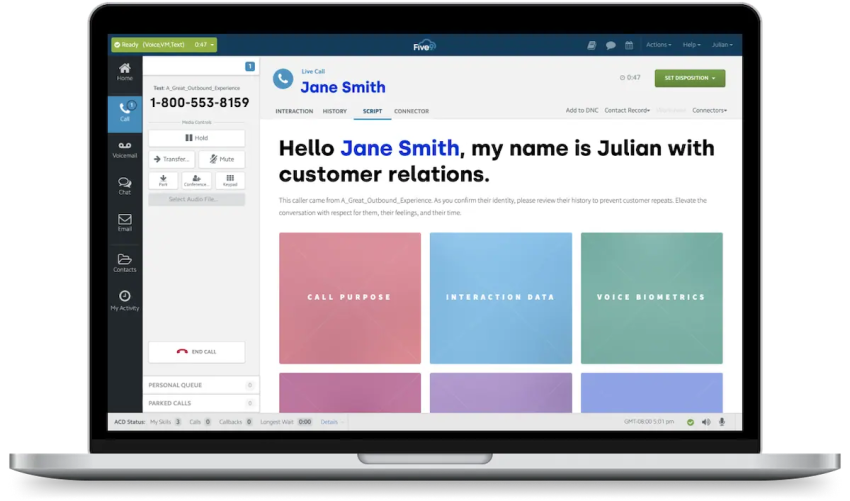
Five9 is a cloud-native contact center platform that unites voice, chat, email, SMS and social in one system and is known for AI-enhanced customer engagement. Five9 has built its reputation on transforming legacy contact centers into flexible, analytics-driven engagement hubs.
Key features
- Omnichannel routing & self-service: Agents can handle inbound/outbound across voice, SMS, web chat, social and email from a unified interface.
- AI & agent-assist tools: The platform uses intelligent virtual agents (IVAs), real-time guidance and automation to speed resolution and improve agent productivity.
- Workforce & analytics tools: Workflow automation and workforce optimization to maximize efficiency and reduce manual tasks.
Reliability, Security & Compliance
Five9 provides reliable service with a 99.999% uptime SLA and global, redundant cloud infrastructure. It complies with key industry standards including Level 1 PCI DSS, HIPAA, GDPR, and other international data privacy regulations, supported by continuous security audits.
Five9 Pricing
Five9 offers five pricing tiers:
- Digital only: $119/month/seat
- Core (all channels with AI essential): $159/month/seat
- Plus (all channels with advanced AI): Contact sales for price
- Pro (all channels with AI essentials and WEM): Contact sales for price
- Enterprise (all channels with advanced AI and WEM): Contact sales for price
Who Is It Best For?
Five9 is best suited for medium and large enterprises and contact centers needing a high degree of scalability, omnichannel support, and AI-driven automation.
📚 Read Five9 reviews on GetVoIP (4.3 stars)
5. 8×8
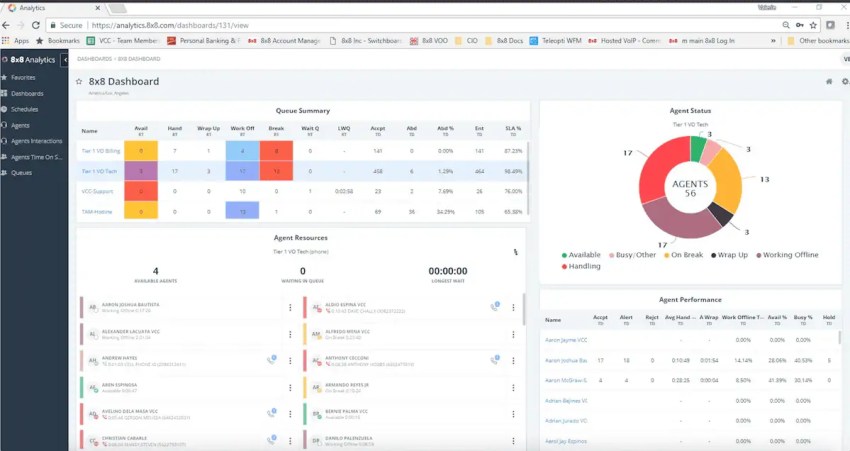
8×8 offers cloud-based business phone systems with services like voice, video, messaging, and contact center solutions. You’ll also get real-time business analytics and intelligence across channels.
Key features
- All-in-one app: Use a single app for desktop and mobile for collaboration over voice, video, private chat, and team chat.
- Analytics: See aggregated analytics for all your cloud communications. Identify trends, solve issues, and make the best decisions based on accurate data.
- Video conferencing: Schedule meetings from Google and Microsoft calendars, create dedicated virtual meeting spaces, and record meetings on the cloud for easy reference.
Reliability, security & compliance
8×8 uses multiple redundant hardware and software systems to prevent downtime during outages, although specific uptime figures are not disclosed. The company is HIPAA, GDPR, and ISO 27001 compliant, meeting NIST/FIPS encryption standards, as well as FCC and CSA standards.
8×8 pricing
8×8 doesn’t openly display pricing on its website. You need to reach out to their sales team for a custom quote.
Who’s it best for?
Businesses looking for a comprehensive cloud-based communication solution with robust analytics and contact center capabilities.
📚 Read 8×8 reviews on GetVoIP (4.3 stars)
6. Aircall
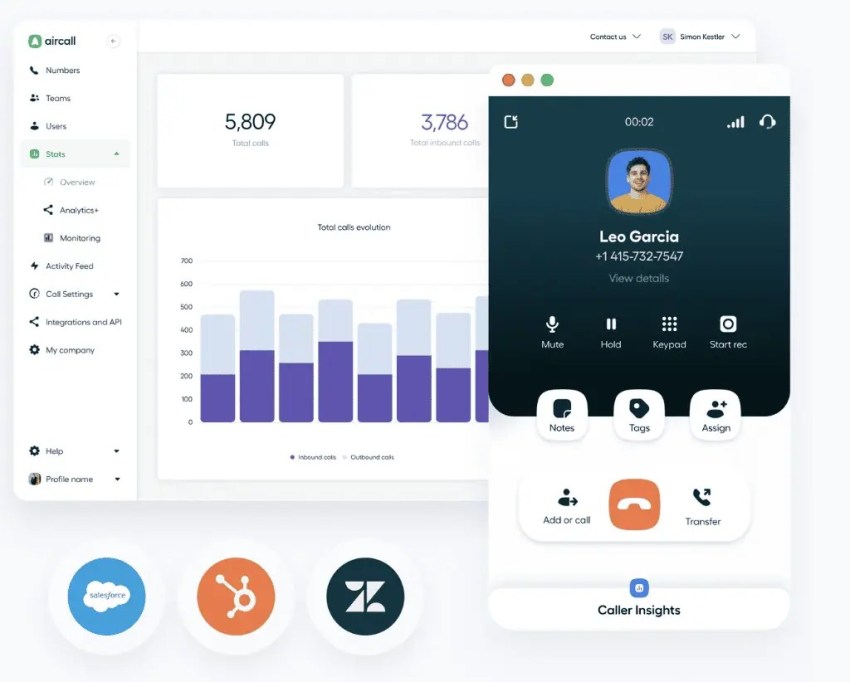
Aircall is cloud-based call center software for teams. Its goal is to make phone support easy to manage. It integrates with key business tools like CRM platforms and helpdesk solutions (and many others).
Key features
- Interactive Voice Response (IVR) routing: Automate call filtering and let callers interact with a computer system before reaching a representative.
- International numbers: Businesses can obtain local and international numbers in over 100 countries, enabling them to maintain a local presence globally.
- Extensions: Aircall provides personalized three-digit extensions for team members, facilitating quick and easy internal communication.
Reliability, security & compliance
Aircall reports 99.99% uptime thanks to seven worldwide data centers provided by Amazon Web Services (AWS). However, according to StatusGator, Aircall experiences reliability issues on a monthly basis. These are mostly small delays and network issues.
Aircall uses AWS as a hosting provider, which holds certifications like ISO 27001, SOC 2, PCI DSS, and FedRAMP for a secure setup. It is also HIPAA and GDPR-compliant.
Aircall pricing
Aircall offers two main pricing plans, along with a custom quote option for specific needs. Both plans come with a free trial:
- Essentials: Starts at $30/user/month and includes basic call center functionalities like unlimited inbound calls (minus toll-free), integrations, call recording, and phone support.
- Professional: Starts at $50/user/month and adds advanced features like call analytics, monitoring, and dedicated account management.
- Custom: A customized Aircall package aligned with your business needs. Call for custom pricing.
Pros:
- Easy setup and deployment
- Growing ecosystem of integrations
- Power Dialer and call coaching features
- Affordable compared to some competitors (depending on features needed)
Cons:
- Potentially unreliable with reports of frequent downtime
- Poor customer support reviews with concerns of upselling
- Users report bugs, data transfer issues with integrations
- May not offer significant advantages over less expensive options
Who is it best for?
Teams seeking a cloud-based call center solution with robust integration capabilities and prioritizing ease of use and global reach.
📚 Read Aircall reviews on GetVoIP (4.2 stars)
7. Dialpad
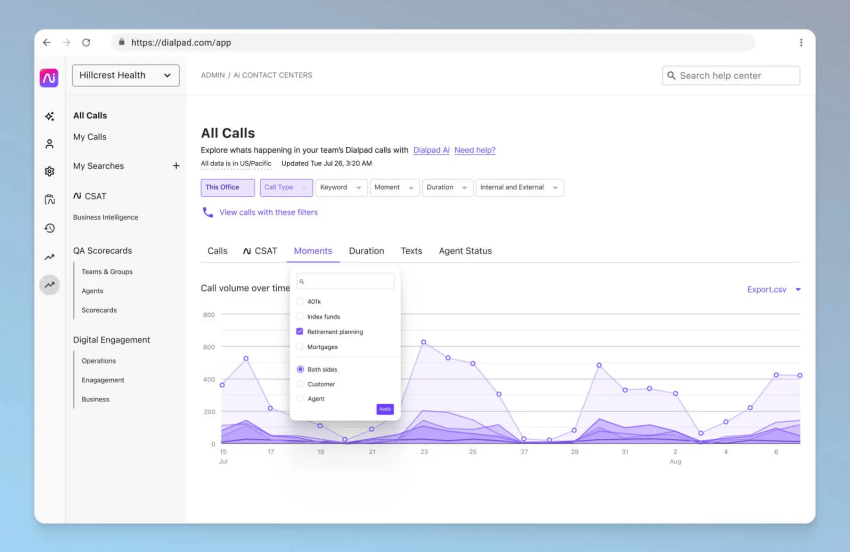
Dialpad is a cloud communication platform powered by artificial intelligence (AI). It’s built for startups, small businesses, and larger firms. Dialpad connects people through voice, video, messaging, and online meetings.
Key features
- Screen capture: Record agents’ entire screens during customer calls so you can better understand agent performance and give valuable feedback.
- Voice Intelligence (VI): Automated note-taking, customer sentiment detection, and other intelligent features that make agents more efficient.
- Call blocking: Automatically block spammy inbound calls based on a spam score. You can also send them to voicemail or get the caller to state their name before you answer.
Reliability, security & compliance
Dialpad uses a global network of data centers, which gives them redundancy and protects against downtime. The company claims a 100% uptime Service Level Agreement, but only for their Enterprise users. Dialpad is SOC 2, GDPR, and HIPAA/BAA compliant.
Dialpad pricing
- Standard: Pricing starts from $15/user/month.
- Pro: Starts at $25/user/month and requires a minimum of three licenses. integration, APIs, off-hours routing, and 24/7 live agent support.
- Enterprise: A minimum of 100 licenses. For pricing, you’ll need to contact their sales team.
Pros:
- AI features for real-time transcription, post-call summaries, and sentiment analysis
- High uptime and reliability for Enterprise users
- Easy deployment
- Scalable solution for businesses of various sizes
Cons:
- Steep learning curve according to some reviewers
- Reported issues with dropped calls, poor audio quality, and app glitches
- Limited customer support options for lower tiers, with extended wait times mentioned in reviews
- Absence of automatic lead creation for inbound calls
Who’s it best for?
Businesses that need a cloud communication solution with intelligent AI-powered features and a focus on seamless integration across voice, video, messaging, and online meetings.
📚 Read Dialpad reviews on GetVoIP (4.5 stars)
How to Choose an Avaya Alternative – Key Criteria
Selecting the perfect solution for your business can seem daunting. When migrating to the best replacement for Avaya, use these major check points to help you evaluate:
✅ Cloud vs On-Premises / Hybrid: Choose a cloud solution like Nextiva if you want lower upfront costs, easy scaling, and remote access; choose on-premises or hybrid if you need full control, strict data locality, or existing hardware investment.
✅ UCaaS + CCaaS vs Only CCaaS: Pick a combined UCaaS + CCaaS platform if you want one provider for internal communication and customer engagement; choose CCaaS-only if you plan to keep your existing phone system and only upgrade the contact center.
✅ Feature Set: Which features are must-haves for your business? List the capabilities you truly need—such as call routing, analytics, IVR, APIs, or workforce tools—so you can rule out platforms that don’t support your core operations.
✅ Customer Support: Look for providers with strong support availability (24/7), channels offered (phone, email, chat), and quick response times, especially if downtime impacts revenue or you operate outside standard business hours.
✅ Integration & Ecosystem: How well does the alternative integrate with your CRM, help desk, collaboration tools, data/analytics, and workflows?
✅ Scalability & Minimums: Check whether the platform fits your current team size and can grow with you without forcing higher-tier commitments or seat minimums.
✅ AI & Analytics: Modern platforms offer built-in AI, omnichannel analytics, real-time assist — if you want to move beyond legacy telephony choose this.
✅ Migration Effort & Vendor Lock-In: Switching from Avaya (or other vendors) can be easy or complicated. Ask how long the transition will take, what hardware you can reuse, and whether the platform allows easy changes later without heavy penalties or proprietary restrictions.
✅ Global/Remote Capabilities: If you have distributed teams and work from anywhere, you’ll need a solution with reliable global calling, mobile apps, and multichannel support to keep teams connected from anywhere.
✅ Reliability and Security: Evaluate the provider’s uptime guarantees, data center redundancy, and compliance with relevant security standards (e.g., HIPAA, PCI-DSS) to ensure business continuity and data protection.
✅ Cost & TCO: A cloud solution usually has predictable monthly fees, while on-premises systems require upfront hardware and software purchases. Evaluate long-term costs—including licenses, hardware, support, training, and migration—not just the monthly subscription price.
Why Nextiva Is the Top Avaya Alternative
Avaya has been around for a while and has much to offer, but it falls short when compared to Nextiva – a top-rated and highly recommended VoIP service with award-winning 24/7 Amazing Service customer support. On GetVoIP, we have a 4.6 out of 5-star rating, with 92% of customers recommending us.
With 40+ VoIP features, this top Avaya competitor makes it easy for the small business, SMB, or large enterprise company to maximize every opportunity when connecting with customers.
The Best Avaya Alternative Is Here
Uncompromising security, compliance, and privacy sound good? Our enterprise VoIP system has all that and more.
