



Key Takeaways
- Many construction companies are still running projects without a centralized system, which creates workflow problems and makes them less competitive.
- A construction management software connects people and information related to a project through a centralized platform.
- The global construction software market is expected to reach $24.72 billion in 2034 at an annual growth rate of 9.7%.
- There is no shortage of construction management software today, and you have to choose one that fits your needs.
- Procore, Autodesk Construction Cloud, Fieldwire, and Buildertrend are some of the best construction software solutions available in 2026.
Construction projects don’t fail because they lack quality materials or skilled workers. They fail because of miscommunication, and when no one has a clear picture of what’s going on in the field. Sometimes a subcontractor has to wait for three days to get the updated architectural drawing. A project manager has to juggle between Excel sheets and WhatsApp groups to fix the budget.
Many construction companies are still running projects like this without a centralized system. In 2026, this situation is not just a workflow problem but something that challenges your competitive advantage.
As construction companies are moving away from a paper-based approach, the global construction software market is expected to reach $24.72 billion in 2034 at an annual growth rate of 9.7%. Apart from that, firms that use construction automation tools and management software reduced project delays and improved budget accuracy compared to those that used manual processes.
But here’s the thing. Not every tool or software is built the same. A few types of construction software are built for enterprise contractors, while others work well for residential builders. Some solutions have built-in construction management scheduling software, while others consider scheduling as an afterthought.
In this blog, we will break down the 10 best construction management software available in 2026, what they do well, and where they may fall short. So you’re in the right place, whether you’re evaluating the software for the first time or someone trying to replace the patchwork system you’ve been tolerating for years.
What Is Construction Management Software?
A construction management software is a centralized digital platform that connects every part of a construction project into a single system. It enables people who are working in the field to access details of the project, and those who are working in the office.
When these platforms didn’t exist, construction companies worked by using spreadsheets, emails, and phone calls to manage projects. One missed update or one missed version of the sitemap that didn’t reach the right person would directly affect your margin.
Modern construction management platforms replace all the chaos with a single source that allows you to schedule your projects and track costs in real time.
According to research by McKinsey, paperwork is one of the important reasons for low productivity rates in the construction industry. Digitizing these processes with construction management software is the key to increasing efficiency and improving the growth of your company.
The construction software should be able to meet the needs of people from different teams, as they have to coordinate with each other in a construction project. For example, the right construction management software enables a general contractor to manage subcontractors and handle their schedules.
At the same time, the architect should also be able to update and upload building designs and extensions till the completion of the project in the same platform.
The transparency and standardization provided by construction management software reduce uncertainty and improve visibility to everyone involved in the project.
Why Construction Companies Need Construction Management Scheduling Software?
Let’s be honest about what’s happening on most of the job sites right now. According to SmartPM’s State of Construction Scheduling 2025 report, 76% of projects are completed only after the original baseline, and 12% of baseline schedules meet best-practice quality standards.
Also, according to a recent industry study, a 30-day delay on a $10 million project can lead to additional labor costs of $300,000, excluding productivity loss.
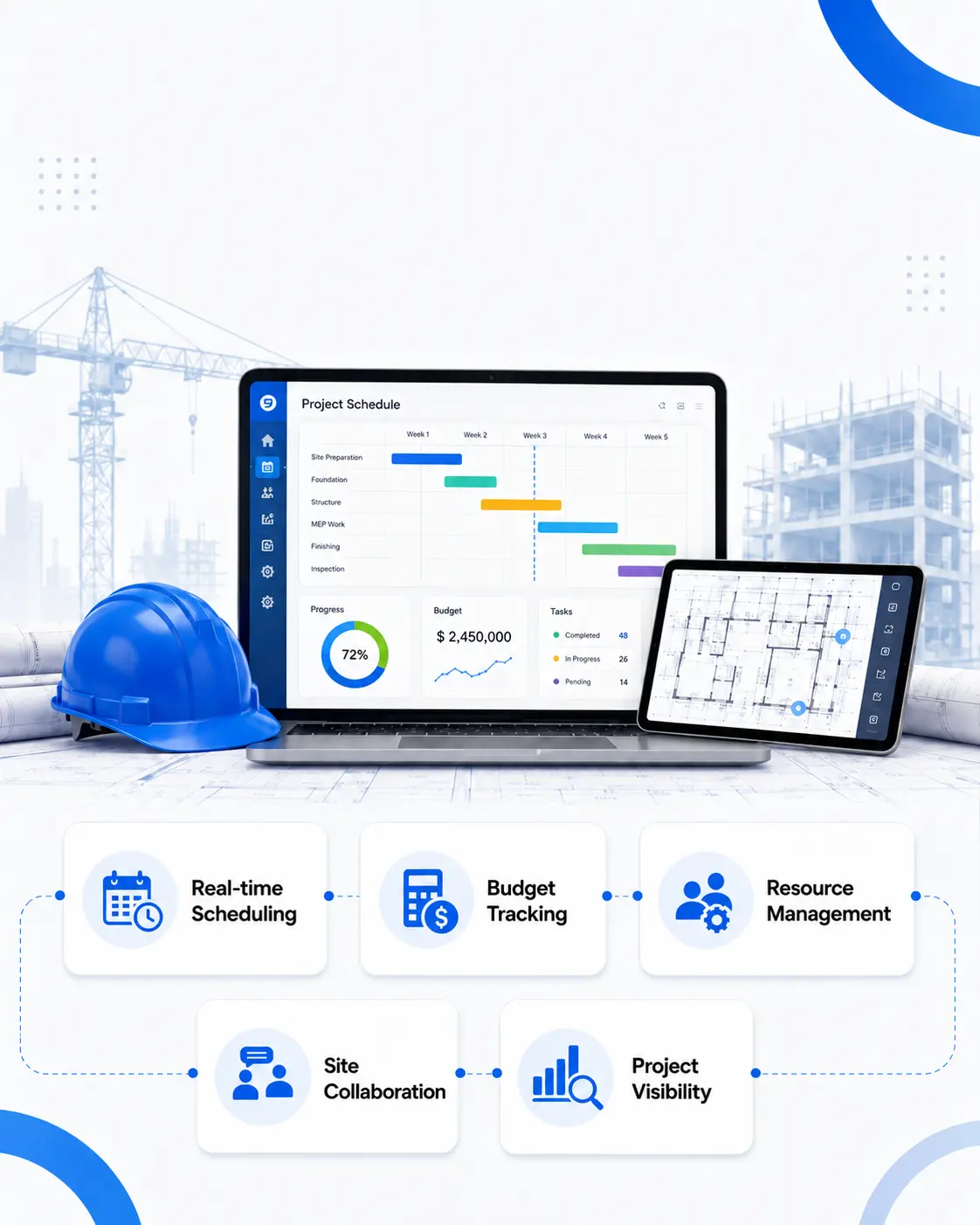
This is why construction management scheduling software has moved from something that is nice to have to a non-negotiable platform for organizations that want to stay competitive. Here’s what it actually fixes:
Real-time Scheduling
Traditional scheduling happens in a document that gets updated once a week or once every 10 days. By the time a delay shows up on paper, it’s already too late to correct it. Real-time scheduling tools surface those risks the moment they appear rather than weeks later.
Budget Tracking
Schedule and budget are two things you cannot separate. Integrated budget tracking within the scheduling platform means cost overruns get flagged in context.
Resource Management
Labor is the most expensive and least flexible resource on any construction project. Scheduling software gives resource managers a real view of who is here and who’s being underutilised.
Site Collaboration
Mistakes are inevitable when field teams and office teams are working from different versions of reality. Construction management scheduling software creates a shared timeline that everyone in the project works from.
Project Visibility
Companies that are equipped with digital platforms combining scheduling and budgeting have higher on-time completion rates compared to those still relying on manual coordination. That visibility is what the leadership team needs to make the right decisions at the right time.
Key Features to Look for in Construction Management Software
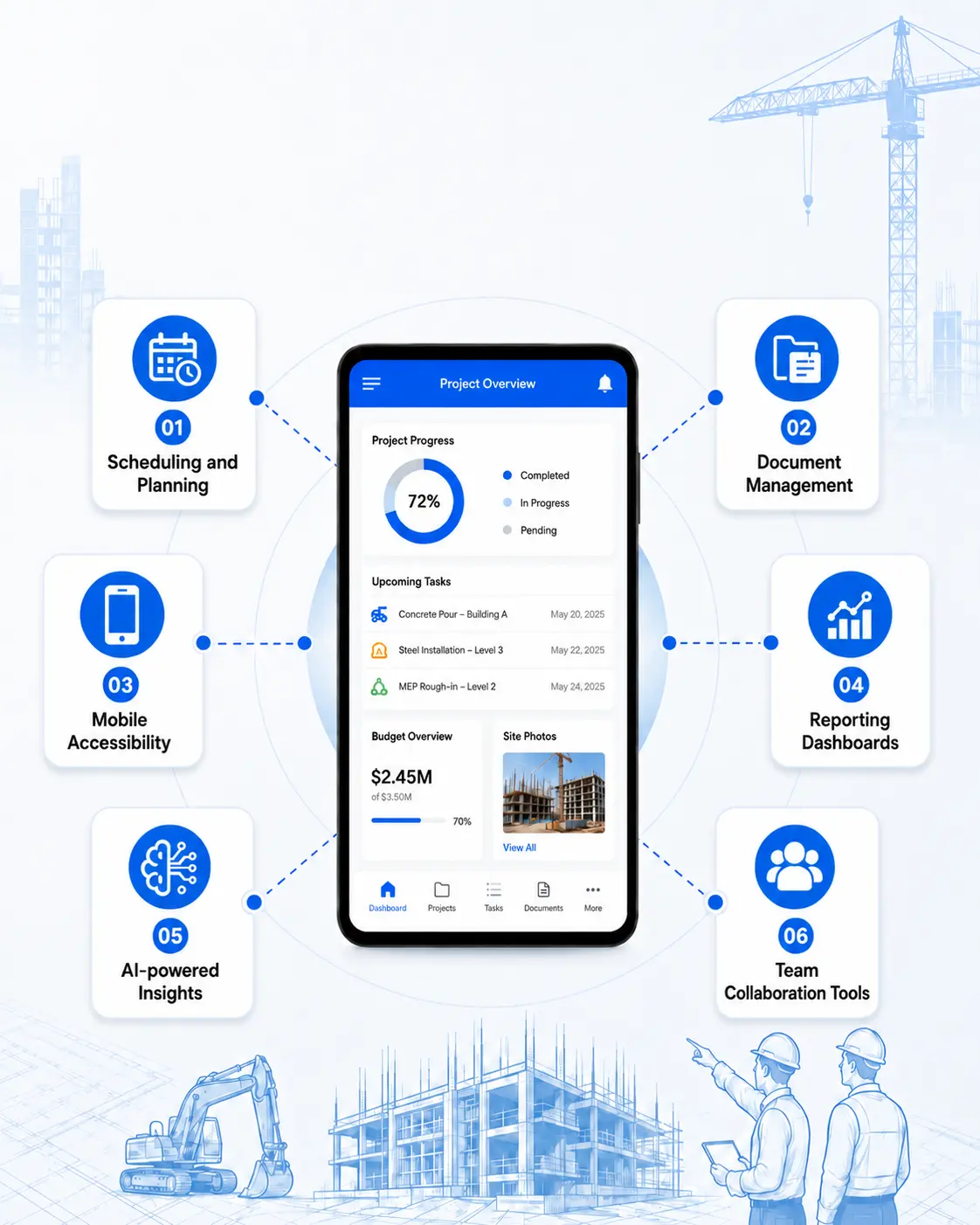
Not all construction management software platforms are built equally. Some are flooded with features that your team never uses, and others look impressive during a demo and fall apart on real job sites. Look for the following features before short-listing the construction software for your organization.
Scheduling and Planning
This feature is the most important one in your workflow. A good scheduling module allows you to figure out risks and adjust timelines in real time when something changes on site.
The best construction scheduling tools are built specifically to address the complex workflows of construction companies, like managing subcontractors and scheduling equipment and labor. If the scheduling feature looks like an afterthought, you need to walk away.
Document Management
On any active project, you deal with hundreds of drawings and compliance documents. The moment two people are working from different versions of the same drawing, misalignment begins to happen. You have to ensure that there is a centralized document storage with version control and permission-based access in the software.
Mobile Accessibility:
Your project manager isn’t going to be at the computer desk, and neither is your safety officer. That’s why the construction management platform has to be accessible through mobile. This feature will allow the crew to capture notes and check progress directly from the job sites.
Reporting Dashboards
Project health shouldn’t require someone to spend three hours compiling a status report. Modern software platforms enable you to access live dashboards where you can have a glance at budget performance and resource utilisation at once. The best construction software allows different stakeholders to see what is relevant to them without drowning in unnecessary information.
AI-powered Insights
Having AI insights is no longer an advanced concept. The impact is already visible, and you can see the difference between companies using AI and those firms that don’t in their workflows. Predictive tools help identify schedule delays earlier, before they become serious issues. So you have to choose a platform that has AI embedded in the workflow instead of just using it as an AI chatbot.
Team collaboration Tools
Construction projects involve team members who don’t work from the same place. The right project management platform enables the office and field teams to be on the same page. Features like real-time notifications and daily logs help everyone stay updated without constantly calling others or sending texts on WhatsApp.
10 Best Construction Management Software in 2026
| Construction Management Software | Key Features | Best Use Case |
|---|---|---|
| Procore | Scheduling Document management Reporting and analytics Budgeting and cost tracking |
Works well for medium and large-scale contractors who work on projects that have multiple stages. |
| Autodesk Construction Cloud | BIM RFIs and submittals Advanced analytics Field execution |
It works well for teams managing BIM-heavy workflows, and that requires high coordination between design and build. |
| Buildertrend | Sales management Material management Time and attendance tracking |
Best for residential builders and remodelers |
| Fieldwire | Messaging option for tasks and plans Task management and tracking |
It works best for field teams and subcontractors who need reliable on-site coordination. |
| Oracle Primavera P6 | Critical Path Method scheduling Risk management Cost control Resource allocation and management |
Government and global infrastructure tenders. |
| PlanGrid | Offline access Issue tracking Document viewing and version control |
The software is best for field teams who want to access all drawings and coordinate with the on-site team frequently. |
| Trimble Construction One | Document management Project management tools Cost control |
This is highly useful for large contractors using Trimble hardware and software. |
| Contractor Foreman | Document management Compliance tools Time tracking |
This is one of the best platforms for small contractors, as the pricing starts at $49 per month with a free trial. |
| Aconex | Workflow management Audit trails Document control |
Large infrastructure projects like airports or metro railways. |
| Raken | Time and production tracking Daily reports Safety and quality checklists. |
This platform is suitable for field reporting and jobsite tracking. |
The best construction software is not always the one with multiple features. What matters more is whether it is able to meet your organization’s requirements. Here are some of the top platforms used by construction companies in 2026.
1. Procore
You would have come across Procore if you’ve been searching for the top construction management software. This platform is for organizations that like to manage everything from pre-construction to cost tracking through a centralized system.
Procore AI, powered by its Datagrid agentic platform, automates routine tasks and provides futuristic insights to support faster decision-making.
Pricing: The pricing of the software starts around $375 per month, and a free version is not available.
| Pros | Cons |
|---|---|
| Scalable for large projects | Implementation requires many steps and is a bit more complex than other tools |
| It comes with strong financial management capabilities. | It is expensive compared to other tools |
2. Autodesk Construction Cloud
If you’re already using Autodesk products, you will feel familiar with Autodesk Construction Cloud software too.
Autodesk Construction Cloud is the go-to platform for firms where design and construction go hand in hand. It is useful for teams where a small change in the drawing affects the working process of various teams.
Pricing of the software starts at $500 per year with module-based pricing for additional capabilities.
| Pros | Cons |
|---|---|
| It scores well in document management | You cannot get the full value without the Autodesk ecosystem |
| Positive user reviews across many online platforms | Implementing it is complex |
3. Buildertrend
Buildertrend is a construction management platform widely used by residential builders and remodelers. It combines project management with client communication tools through a dedicated portal. It integrates various aspects of a project into a single software package.
Pricing of the software starts at $99 per month.
| Pros | Cons |
|---|---|
| The interface is simple and easy to use | Buildertrend is not built for large commercial projects |
| Communication tools are efficient | You’ll outgrow it quickly if you’re managing multi-site commercial work |
4. Fieldwire
This platform is particularly built for job site management, which helps construction teams coordinate tasks and access plans that are updated in real time.
Fieldwire helps office and field teams stay connected through a simple interface designed for everyday use. For companies that want a project management platform without completely changing their current workflow, Fieldwire is a good option.
A free plan is available for small teams, and paid plans start at $44 per user for one month.
| Pros | Cons |
|---|---|
| Easy to use in remote areas with poor internet | No advanced scheduling features |
| strong accountability | Fewer features when compared to other tools |
5. Oracle Primavera P6
Primavera P6 is considered an industry standard for scheduling large-scale and complex construction projects. It has been available in the market for more than a decade now, and it is well known for resource leveling and multi-project portfolio oversight.
| Pros | Cons |
|---|---|
| Customization is available | Expensive |
| Integrates easily with other Oracle products | challenging for new users to learn |
6. PlanGrid
PlanGrid, which is now part of Autodesk Build, is built for making drawing management simple for crew members. It allows teams to quickly access and update plans and also provides offline tracking.
| Pros | Cons |
|---|---|
| Easy-to-use interface | It is not a great tool when used as a standalone solution. |
| Good drawing management. | This tool is now owned by Autodesk |
7. Trimble Construction One
This construction management platform combines project management, analytics, and financials in a single system. It is capable of connecting data across project stages, from field to finance, with advanced reporting capabilities.
| Pros | Cons |
|---|---|
| It is scalable for large companies | Deployment is complex |
| advanced analytics capabilities | Expensive compared to other solutions. |
8. Contractor Foreman
If you’re a small to mid-sized organization who need advanced features without any enterprise price tag, Contractor Foreman is the best. It covers project management and document management all under one roof at a reasonable price.
| Pros | Cons |
|---|---|
| The platform includes compliance tools | Contains a messy interface |
| It has a wide range of features | Only a few features are useful |
Eliminate Manual Workflows with Intelligent Construction Platforms
9. Aconex
Aconex works well for projects where multiple teams are involved and where you cannot ignore document control. Even if there are any delays, the audit trail feature will help you track back to the communication history.
| Pros | Cons |
|---|---|
| Suitable for large-scale construction projects | People need training before using this software |
| It provides detailed trails | somewhat complex for smaller teams |
10. Raken
Instead of focusing on complete project management, Raken does well at field reporting. Site teams use it for daily logs, time tracking, safety checklists, and production tracking. It removes the friction caused by daily reporting without changing an entire platform.
| Pros | Cons |
|---|---|
| It has a simple workflow | not built as a complete construction management system |
| Provides a strong mobile experience | It has limited financial tools |
How Construction Management Software Improves Project Efficiency?
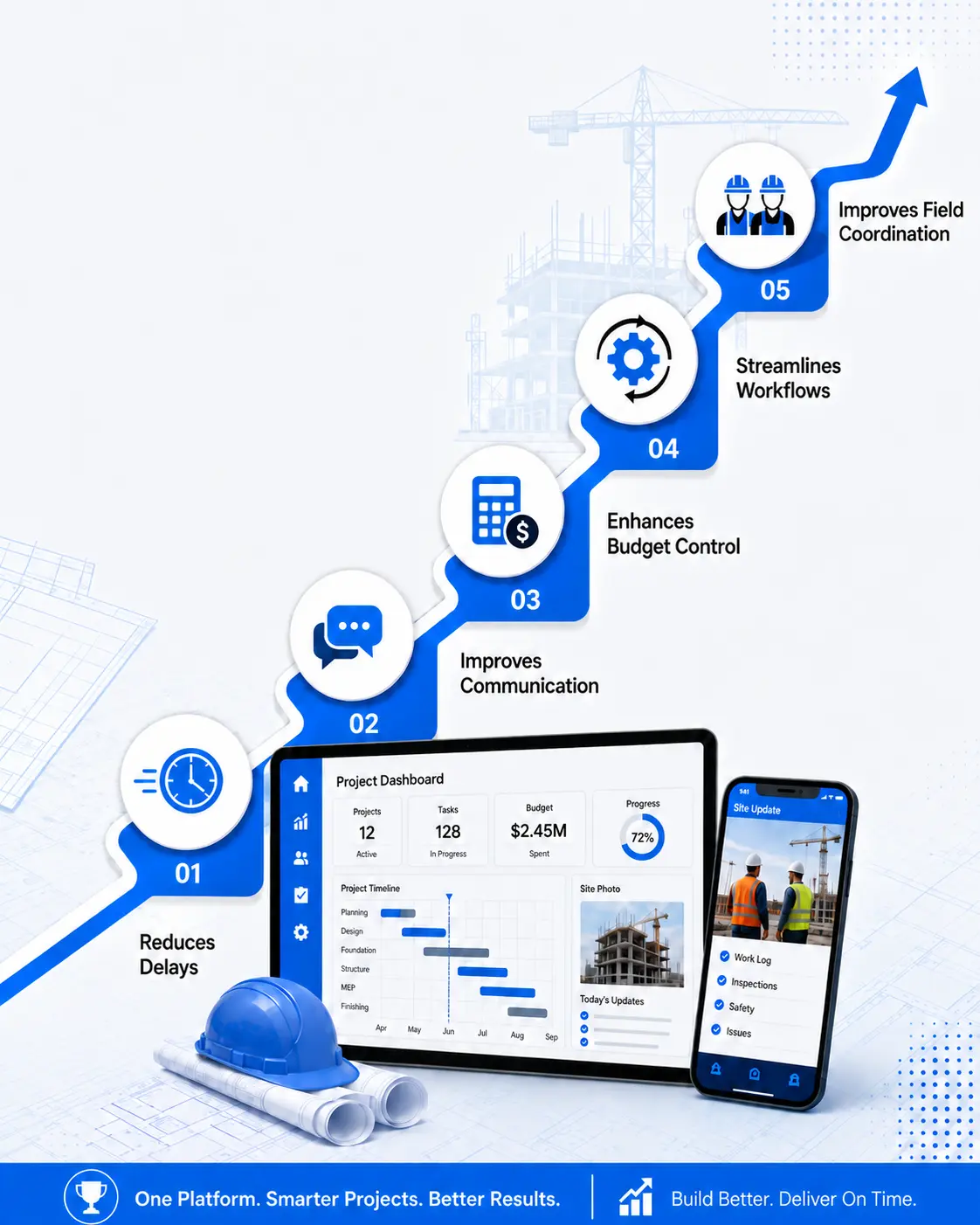
Buying software doesn’t make your projects run better by default. You have to ensure that they are implemented and adopted by your team in the right way. Here’s where you can notice the actual difference.
Reduces Delays
Most teams find out about delays, and in situations where they can do nothing about them. You’ll miss schedule updates and material tracking if you’re doing everything manually. Construction management scheduling software helps catch these issues earlier and avoid rework by fixing them before they affect other operations.
Improves Communication
A project management platform provides a single system to access project documents and plans. You know what happens when teams work with different versions of the same plan. A CMS platform avoids this by notifying all team members about the changes without delay.
Enhances Budget Control
Overseeing the schedule and budget of a construction project is one of your app priorities. When the budget estimate goes wrong, there’s a risk of the project’s incompletion or delay. This is where construction management software minimizes costs and increases profits by creating accurate estimates and better budget management.
Streamlines Workflows
A CMS makes it easier for managers to follow and adopt a systematic approach to handling their workflows. The best project managers always make sure that each team member and other moving tasks of the project fall under one umbrella. Also, the managers can use solutions like construction material ordering app development to eliminate the lag between identifying material requirements and placing orders.
Improves Field Coordination
The gap between on-site teams and office teams is one of the significant challenges in the construction industry. Many construction software platforms today offer mobile apps that allow field members to stay up to date with office teams, leading to faster decision-making.
Construction Management Software Pricing in 2026
Many companies don’t have great clarity when it comes to the pricing of construction management software. Here’s what organizations are paying for construction management scheduling software or similar tools.
Basic Pricing
Small construction teams spend somewhere between $49 and $149 per month for basic scheduling and project-tracking tools. These plans are enough for contractors who need core functions and simple team coordination.
Mid-level Pricing
Platforms with mid-level pricing are used by developing companies that are trying to manage multiple projects at the same time. Their pricing goes as high as $887 per month. It depends on the number of users and the modules. Think of a project manager who handles 12 projects across two states. Mid-tier products are designed for them.
Enterprise Pricing
Enterprise-level platforms like Procore don’t charge per user. Instead, the bills are based on the annual construction volume. You get features such as portfolio management and advanced analytics at a price of $1142 per month or more.
Factors Affecting Software Cost
Apart from the subscription fee and implementation, additional features such as AI insights may add $500 to $5000 as upfront costs.
This is where understanding construction software development cost becomes relevant for organizations with complex and unique operations. Though custom-built platforms require a higher upfront investment, they allow you to scale with your project volume.
Latest Trends in Construction Management Scheduling Software
The construction management software in 2026 looks very different from what most companies were using two years ago. Here are the latest trends that are shaping the tools now.
- In 2026, AI is being deeply integrated into core construction workflows rather than being a standalone tool.
- IoT devices and sensors attached to equipment and materials provide live information regarding the progress of the project.
- On the analytics side, AI-driven progress analytics is projected to reach 14.12% annual growth rate by 2031. This is the fastest-growing segment in the construction software market.
- Companies that have predictive capabilities in their workflow today are going to create a huge impact on companies that are still reporting on what has already happened.
Role of Construction ERP Software Development in Large Projects
Construction companies will reach a point where standard project management software starts showing its limitations. If your firm is managing multiple sites and hundreds of subcontractors, do you think just scheduling tools and a few integrations are enough to hold everything together?
That’s the gap the construction ERP software development addresses when your purpose-built ERP is not able to meet your requirements.
It combines every operational layer of the business, such as procurement and payroll, into a single system. Companies that implement the software in the right way see a measurable reduction in administrative time and improvement in resource utilisation.
The construction ERP market is expected to grow at a rate of 7.7% between 2025 and 2034. Do you know the reason behind this growth? Because companies outgrow generic software that does not solve their problems.
Conclusion:
Choosing the right software could revolutionise how you manage your construction projects. For small contractors, tools like Buildertrend without a huge price tag. And for large-scale projects, Oracle Primavera P6 sets the standards high for construction management scheduling software at enterprise scale.
That said, no off-the-shelf platform is going to be a perfect fit for all organizations. If your workflows are complex or you have outgrown the tools you’re already using, it is time to consider a custom-built solution that makes sense in the long run.
FAQs
1. What is the best Construction Management Software in 2026?
There’s no one right answer for this question. You have to choose the software that fits your team size and project type. Consider one of the options we gave you in this blog. But every off-the-shelf software has its own limitations. So if your requirements are unique, consider going for custom-built software.
2. How much does Construction Management Software cost?
The cost of the software differs based on its features and capabilities. If you’re a small organization looking for entry-level platforms, the price starts as low as $49 per month. And if you want to go with mid-tier tools, you may have to pay up to $800 per month based on the number of users. Enterprise platforms like Procore charge based on your construction volume, sometimes as high as $10,000 to $60,000 per year.
3. What features should Construction Management Scheduling Software have?
Most project management software has basic features like real-time schedule updates and resource allocation. If you want to finish the project without delay, then choose tools that provide real-time updates and predictive analytics.
