



Sooner or later, the question lands on IT’s desk: Can we drop these desk phones and let people use web-based calling or softphones? The answer is yes, for most of your team, most of the time. I would sign off on it.
But I would sign off with a few conditions attached. Based on what I see, not many vendors seem to address those conditions on their product pages. This guide on web-based calling discusses these aspects in length, which are crucial for any business looking to adopt a Voice over Internet Protocol (VoIP) phone system to make calls through a browser or via an application.
In this article, I explore web-based calling, how it works, and what to consider when choosing a system that enables it.
What Is Web-Based Calling?
Web-based calling is the process of making and receiving voice and video calls entirely through a web browser. Your voice travels as data using VoIP, reaches your provider’s cloud platform, and connects from there to the public phone network, so you can dial any landline or mobile number without installing an app.
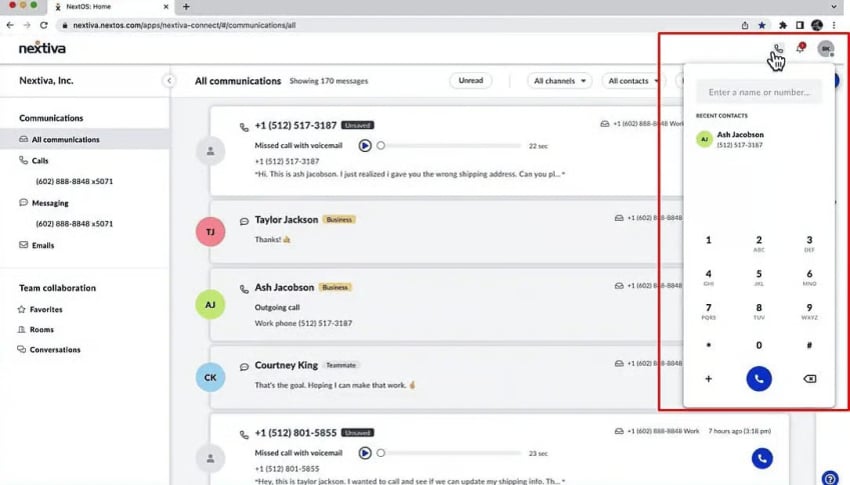
Some might call it a webphone, a web dialer, or simply online phone calls. The mechanics are the same. It comes with added feasibility since there’s no handset, installer, or update cycle to monitor. The provider updates the platform on its own servers.
| What web-based calling is not. This method isn’t the same as how consumer apps like WhatsApp or Viber handle person-to-person internet calls in their applications. A business browser phone is different. It’s a full extension of your company’s phone system, providing the same number, voicemail, caller ID, and call recording that your team has on every other device. |
Softphone vs. web browser phone
A softphone is a calling app you install on a computer or smartphone. A browser phone runs in a tab with nothing installed. Both connect to the same cloud platform, carry the same virtual phone number, and offer the same features, from call forwarding to SMS.
The real difference is not what it can do but how you deploy and update each endpoint.
| Criteria | Browser phone | Desktop softphone | IP desk phone |
|---|---|---|---|
| Setup | Sign in from a web browser | Install an app on each device | Ship and configure hardware |
| Updates | Automatic, server-side | Pushed to each install | Firmware, device by device |
| Portability | Any computer with a supported browser | Devices with the app installed | One desk |
| Best fit | Distributed teams and teams that need fast onboarding | Heavy daily call work | Lobbies, warehouses, shared spaces |
How Does Web-Based Calling Work? (Plus Common Myths)
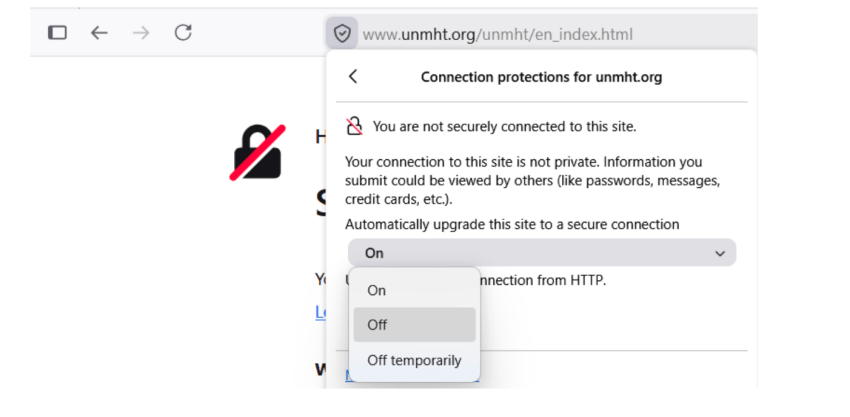
When you dial from the browser’s dialpad, the page first asks to use your microphone. Browsers only allow such access over a secure HTTPS connection, and explicit permission is always required, so no website can silently listen. Your voice is then encoded and sent, encrypted, to your provider’s platform.
This scenario is where a popular myth needs correcting. Many people assume that the browser’s call directly goes to the other person.
Web Real-Time Communication (WebRTC) can connect two browsers directly, and the spec even calls its connections “peer connections.” But the moment you dial a phone number, direct connection becomes impossible because what you’re calling is not a browser. The audio travels to the provider’s media server, which manages the call, then through a PSTN gateway that bridges it onto the phone network.
The server in the middle makes transfers, call recording, and analytics possible. It’s the on-ramp to every landline, mobile number, and international destination you dial with a country code.
Are web-based calls end-to-end encrypted?
WebRTC security architecture makes encryption mandatory. The standard requires every media channel to be secured with DTLS-SRTP, and sending a call as plain, unencrypted audio is forbidden. Compared with the unencrypted on-premises phone systems many companies still run, this technology is a real security upgrade.
However, encryption covers only one leg of the call: browser to provider. The provider decrypts the call at its media service. The final leg onto the phone network isn’t encrypted.
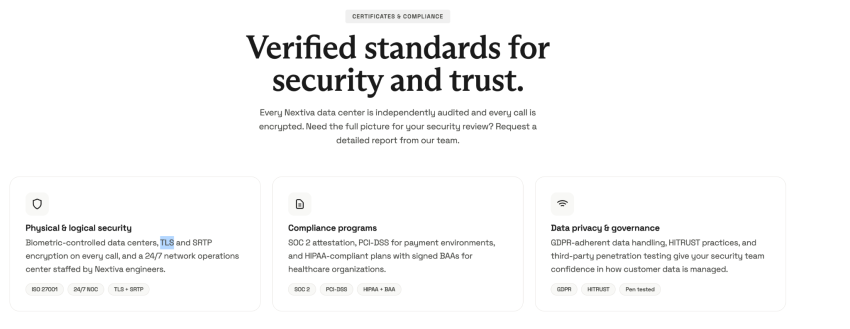
Security-minded professionals should consider that not all businesses want end-to-end encryption. If a provider cannot decrypt a call, it can’t be recorded, transcribed, or analyzed. Nextiva’s own network requires that TLS and SRTP encryption be used on every call.
It’s best to ask these questions while evaluating vendors:
Precise answers to these questions will beat big adjectives quoted in product demos.
Does each call need 100 kbps?
No, each call doesn’t need 100 kbps. Bandwidth objections sink more browser phone proposals than any other concern, and the numbers behind them are usually decades old. A browser call uses less bandwidth than a music stream. When provider guides tell you to budget 100 kbps per line, treat it as prudent headroom rather than actual usage.
What Impacts the Quality of Web-Based Calls?
Voice needs consistency, not capacity. What ruins these calls is network jitter, the variation in packet arrival time, along with packet loss. A standard speed test barely registers either one, which is why a call can sound choppy on a connection that appears fast in tests.
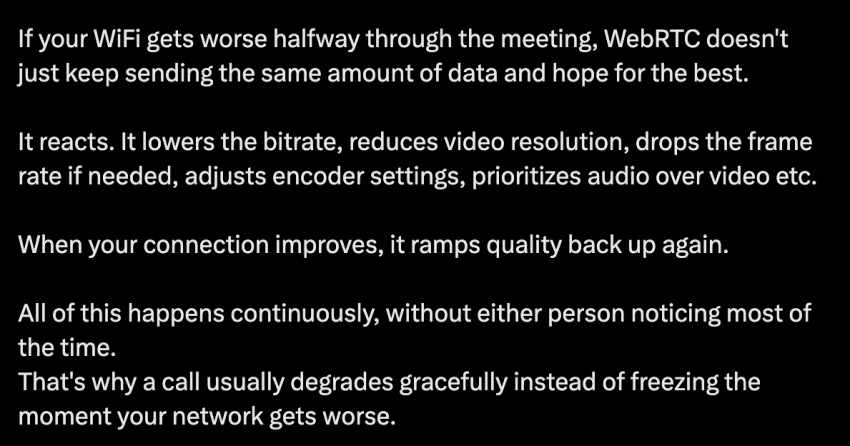
When Wi-Fi weakens mid-call, the browser lowers its bitrate and adapts to loss, so the call, in the words of developer Advik Kapoor, “degrades gracefully instead of freezing.”
Additionally, Bluetooth headsets add latency, and many drop to a low-quality microphone profile during calls. This issue is why remote employers encourage their employees to use wired headsets.
Finally, your machine impacts quality too. Browsers throttle background tabs to save power, and a laptop with 40 tabs open can starve a live call of the CPU.
Keep the calling tab in the foreground, on a machine that is not overworked, and half your call quality issues disappear. It’s best to run a network readiness check at each office and on a sample of home connections before you commit.
You can also run a free VoIP speed test to simulate concurrent calls and test the system for expected quality.
What Rules to Consider With Web-Based Calling
A desk phone has a fixed location, while a laptop does not. This difference means that every browser phone deployment must comply with US emergency calling law.
Two federal requirements govern 911 calls on multi-line phone systems, and the FCC enforces both. Kari’s Law requires that anyone can dial 911 directly, with no prefix or access code such as 9, and that the system notifies a central location, like a front desk or security office, when an emergency call is placed.
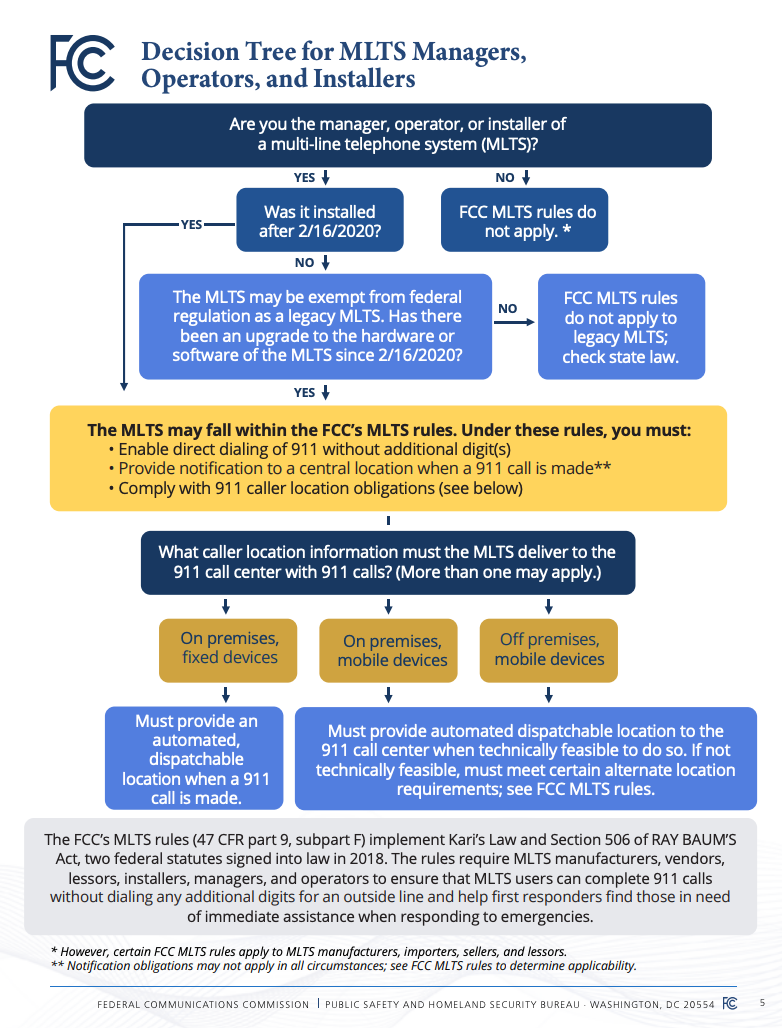
Section 506 of RAY BAUM’S Act requires a “dispatchable location” to travel with the 911 call. The FCC defines this as the validated street address of the caller plus the suite, apartment, floor, or room information needed to find them.
What FCC rules mean for a nomadic device
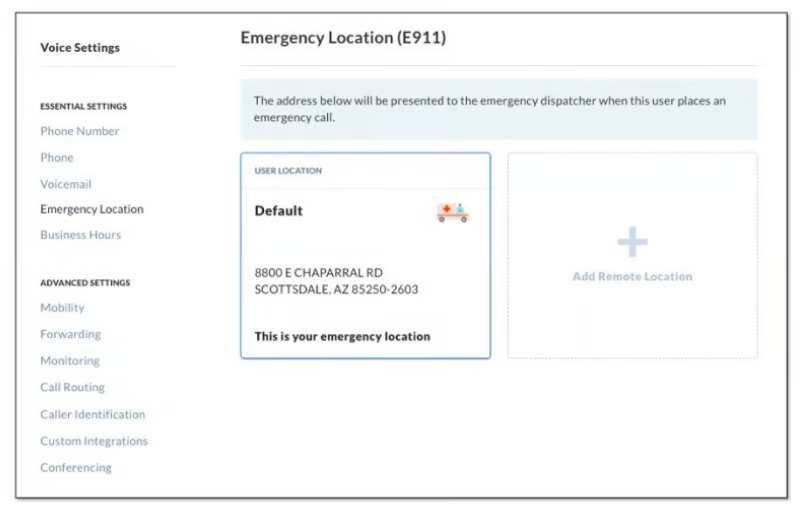
For off-premises devices, the FCC’s rules expect an automated dispatchable location where feasible and, otherwise, user-updated or alternative location information. In these terms, the platform should know where the call is coming from, or the user must keep their address current.
This is why address confirmation prompts exist. Train your team to update it and never to dismiss it. Nextiva’s E911 guidance makes the same point for its platform: Keep locations current, and check in with remote employees to confirm their home addresses are up to date.
*What we cover in this blog doesn’t constitute any legal advice. These rules carry details and exceptions that depend on your specific system. Read the FCC’s MLTS 911 requirements directly, and involve counsel when the stakes warrant it.
Where the Browser Phone Belongs, and Where It Does Not
Browser calling is not a replacement for every endpoint. It’s the right endpoint for specific jobs, and those jobs describe most modern desk work.
It dominates at deployment. A new hire can make business calls 10 minutes after IT creates the account. A departing contractor loses access the moment their account is disabled, leaving no app behind on a personal laptop, which your security team will recognize as a quiet win. Server-side updates eliminate version drift across a fleet you never touch.
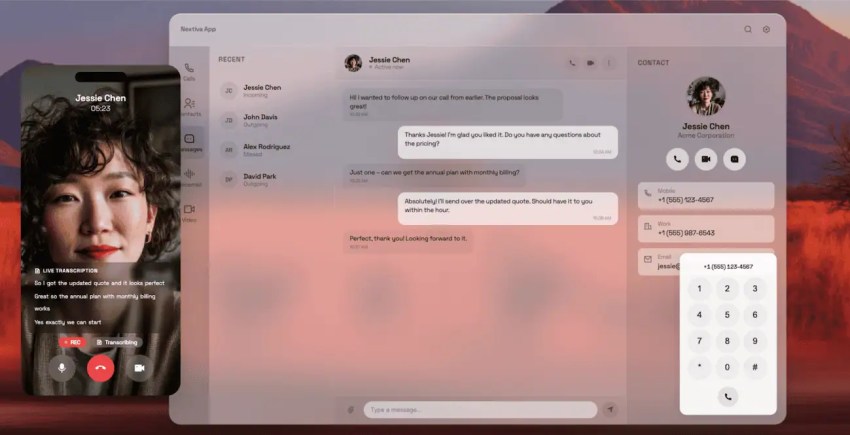
It also earns its place through consolidation. Pulling voice, video calls, and SMS into the browser where work already happens retires at least one of those tools, along with its licenses and its logins.
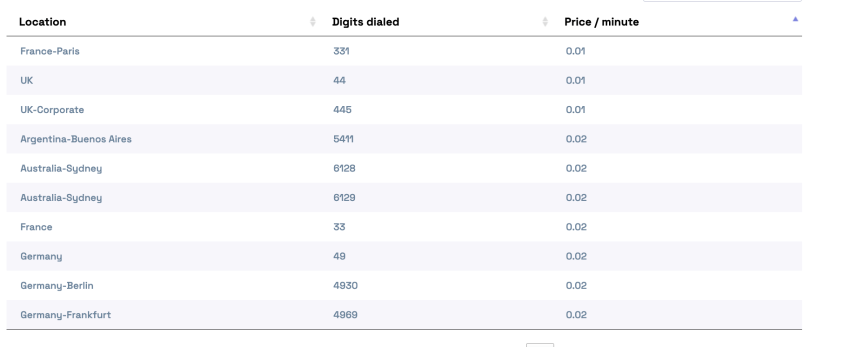
And it changes the economics of distance. International calls route over the internet at VoIP international calling rates, which on Nextiva plans start at $0.01 per minute, instead of carrier long-distance pricing.
Where does it lose? Browser calling isn’t suitable in workplaces with a high volume of quick calls. A warehouse floor, a lobby, a shared front desk: Those spots need a handset anyone can grab. Simply put, quick, random calls favor a physical phone, while long, back-to-back conversations work better with a browser phone or a softphone and a headset.
It’s best to plan a hybrid system from day one.
How to Evaluate a Provider for Web-Based Calling
Something structural changed when calling moved into the browser: Voice became IT’s problem. If that’s you, your evaluation checklist deserves more than the price per seat. Look for answers to these questions to make vendor evaluation easier:
- How is uptime achieved, not just promised? Nextiva strives for 99.999% uptime across eight geographically redundant points of presence in the US, a standard that permits under six minutes of downtime a year. Whatever a vendor quotes, ask what stands behind the number: data centers, failover design, or a public status page.
- Which browsers, exactly? Confirm the ones your team uses, and press on Safari, which has historically handled WebRTC differently than Chrome and Firefox. Confirm desktop and mobile apps exist for the times you can’t rely on a tab.
- How does signaling behave under stress? What happens during laptop sleep mid-call, transfers, call forwarding, voicemail handoff, and re-registration after a network switch? Vendors rarely volunteer these answers. The good ones have them ready.
- What are your emergency calling answers? Ask aboutdirect 911 dialing, notification, and dispatchable location for off-premises users. You now know exactly what to listen for.
- Where is the media decrypted, and who accesses the recordings? Ask the encryption questions, plus the BAA and SOC 2 scope if your industry requires them.
- What do you recommend for our network? A provider that raises QoS configuration and readiness testing before you do has supported enough rollouts to know where they fail.
Start Calling From Your Browser With Nextiva
Browser-based calling is reliable and compliant enough to standardize as a day-to-day practice for your team. Nextiva makes it practical.
Browser-based VoIP calls are built into the cloud phone system, so your team signs in and dials with nothing to install, using one business number across web, desktop, and mobile apps. Every call is encrypted in transit with TLS and SRTP, and E911 location settings stay under your control. The platform also runs on the redundant network described above.
Conexus Food Solutions runs this model at a real scale. The food distributor connects more than 900 employees across 12 US distribution centers and a 70-agent overnight team in China on one Nextiva platform.
Explore Nextiva for reliable web-based calling.
Switch to the #1 Rated Cloud Phone System to Run Your Business
Move on from your old PBX and upgrade to the industry’s highest-rated hosted VoIP system: G2 ranked Nextiva as the #1 cloud-based VoIP provider. Get flexible, reliable cloud communications anywhere your team works.
