


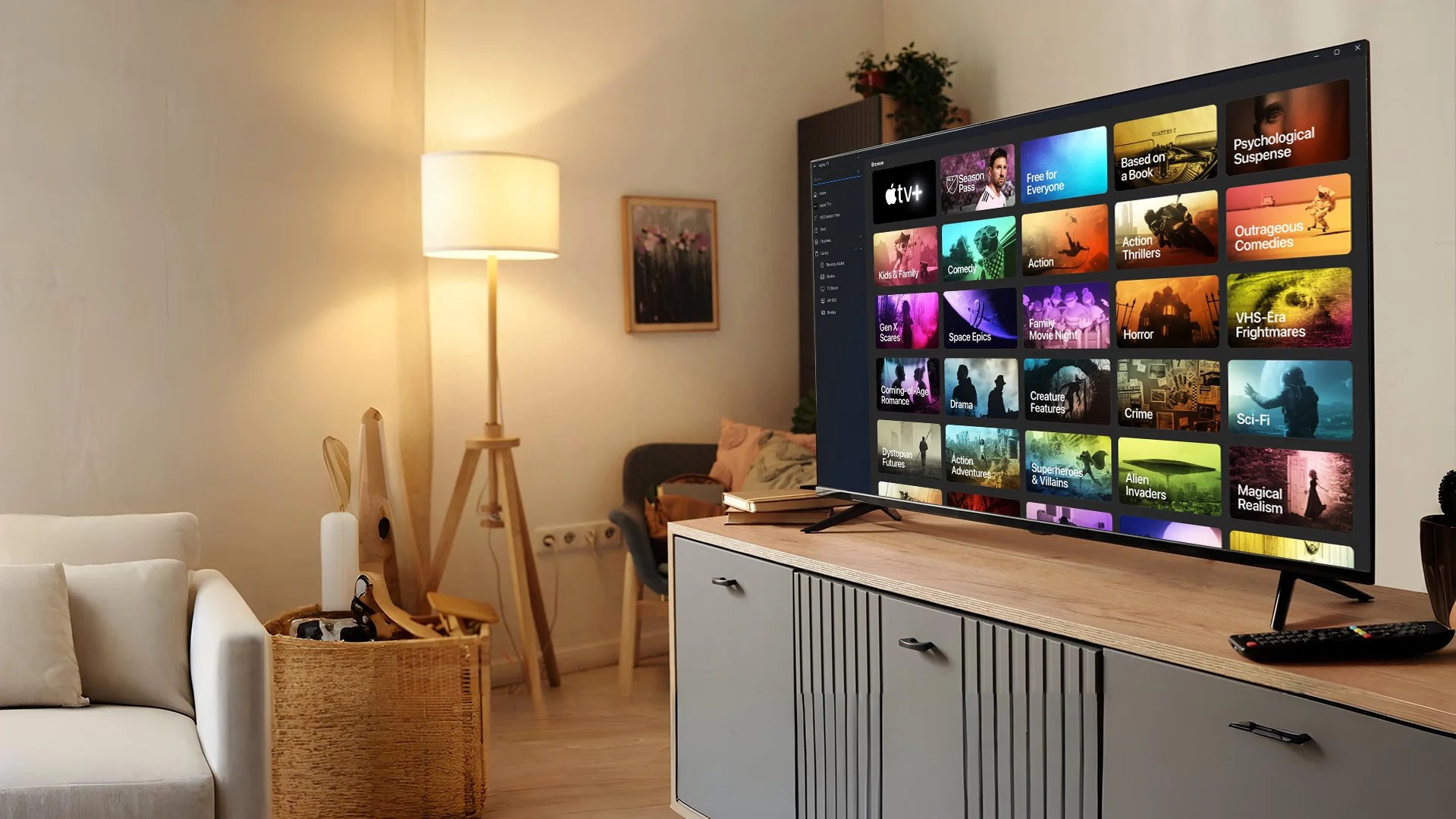
The OTT (Over-the-Top) streaming industry is on fire, and according to Statista, this market is expected to generate over $476 billion of revenue in the next 5 years. Among all of that growth, Apple TV is a formidable competitor, with millions of households around the world viewing its outstanding catalogue of content and benefiting from its ecosystem of devices.
If you are a brand or media company that puts off investing in developing an Apple TV app, do not lose out on the expanding audience who prefer high-quality streaming on large screens. As consumers move away from traditional cable and begin utilizing smart-TV experiences, developing an Apple TV app is no longer optional; it is necessary to remain competitive in the entertainment space.
This guide for 2025 will cover everything you need to know in order to develop an Apple TV app:
- Apple TV’s current standing in the global OTT industry
- A breakdown of the Apple TV app development process, step-by-step.
- The best technology stack and service types
- An outline of Apple TV app development pricing and monetization models
Whether you are a startup or an existing media brand, this guide will enable you to develop a plan to build and launch a successful and profitable Apple TV application.
Apple TV in the Global OTT Market
The OTT (Over-the-Top) entertainment market continues to see rapid growth because of smart-TV adoption, increased accessibility to fast Internet and people’s comfort with on-demand viewing. As per Statista, the global OTT streaming sales reached $210 billion in 2022 and are projected to exceed $476 billion by 2025. Viewership not only expanded in the U.S. and Europe, but it is also growing faster across Asia-Pacific and Latin America.
- Apple TV+ Subscribers: Analysts predict more than 60 million paid subscribers worldwide by early 2025, which is a jump from approximately 40 million in 2023.
- Device Penetration: Apple TV hardware is in more than 100 countries globally, and iPhones, iPads, and Macs powered by Apple’s tvOS (to run apps), all serve as devices to increase potential distribution & engagement.
- Revenue Growth: Apple’s services (including Apple TV+) for the first quarter of 2025 generated $23 billion, which reinforces the profitability and user engagement across the platform.
Why This Matters?
- High-Value Audience: Apple users tend to have higher spending power (purchasing), and are more ideal for premium content and subscription-based apps.
- Global Market Expansion: Apple TV can reach new audiences in new emerging markets with additional localized content and niche OTT at scale.
- Cross-Device Ecosystem: An app built for tvOS is integrated into a working ecosystem of iOS devices that bridge commercial opportunities for cross-platform engagement and marketing.
Tip: Brands planning to enter streaming should prioritize Apple’s ecosystem early. Apps optimized for tvOS often see higher retention because users stay within Apple’s secure, ad-free environment.
Creating a high-performance Apple TV app requires strategic planning and a disciplined process framework. The step-by-step Apple TV app development process described below will help ensure the quality, scalability, security, and successful launch in the Apple’s App Store.
Apple TV App Development Process (Step by Step)
Building a high-performing Apple TV app requires careful planning and a structured workflow. Below is a step-by-step Apple TV app development process that ensures quality, scalability, and a smooth App Store launch.
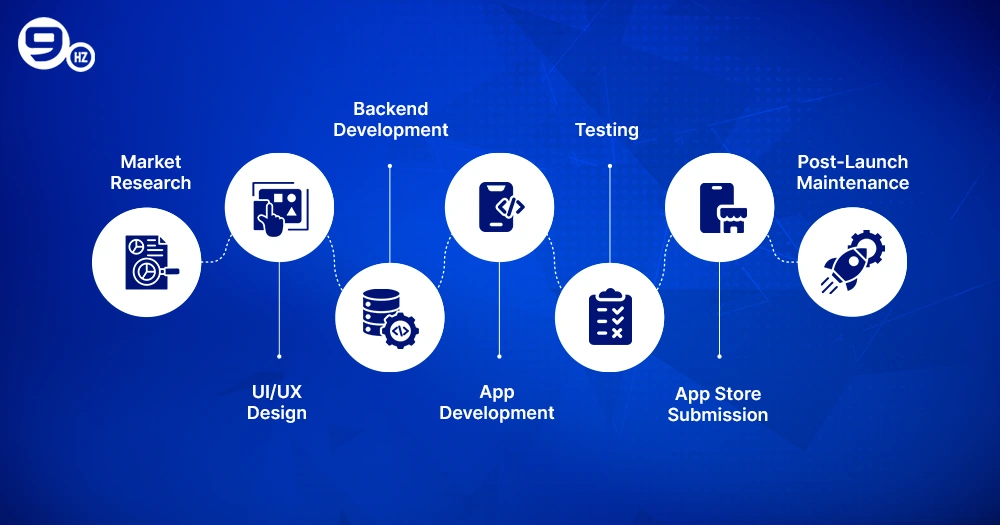
1. Market Research & Strategic Planning
Before you start coding, take adequate time to explore your audience target, benchmarks/competition, and content strategy.
- Establish your application objectives: entertainment, education, e-commerce, or live streaming.
- Evaluate some successful OTT platforms to discover the primary engagement components.
Tip: Create a Minimum Viable Product (MVP) roadmap to test core features and reduce the initial Apple TV app development cost.
2. UI/UX Design for tvOS
Since Apple TV apps are deployed on a large screen (TV) and navigated remotely, the app’s interface will be different.
- Aim for simple and intuitive layouts and usability for the Siri Remote.
- Keep in mind typography, visual hierarchy, and high-resolution images.
- When you follow Apple’s Human Interface Guidelines for tvOS, the App Store review process will be much easier.
3. Backend Development & Infrastructure Setup
A good backend is important for streaming, managing video content, content recommendation, and analyzing your user data.
- You may use servers from AWS, Google Cloud, or Azure.
- Choose a scalable database, such as MongoDB or PostgreSQL, for the content library.
- Add APIs for video-on-demand (VOD) subscriptions, and manage user accounts.
4. App Development & Integration
You will use Swift or Objective-C to develop the application inside Xcode.
- Be sure to integrate the standard features like user accounts, searches, payment gateways, and push notifications.
- Add Digital Rights Management (DRM) for secure streaming.
Tip: Use Apple’s tvOS SDK and frameworks like AVFoundation for seamless video playback.
5. Testing & Quality Assurance
Testing for quality usage should be thorough enough so that the user experience on many Apple TV devices will be seamless.
- Use functional, performance, and security tests.
- Include remote navigation, and the sync process across devices like iPhones or iPads.
6. App Store Submission & Approval
- Gather all of your app metadata, screenshots, and descriptions.
- Submit your app via App Store Connect, and follow Apple’s review guidelines.
- Be ready to respond to any feedback during the review period, as this can cause delays in your launch.
7. Post-Launch Maintenance & Updates
After your app goes live, continue to monitor it for performance issues, user feedback and release updates for those bugs.
- Update to release new features, improve video delivery and blanket your app in security using Apple’s guidelines.
- Review and track the analytics around user engagement, user interactions, and subscription trends.
Pro Tip: Partnering with an experienced Apple TV app development company like The NineHertz ensures faster turnaround times, strict adherence to Apple’s guidelines, and ongoing support.
The process above streamlines how you can create your own Apple TV app by minimizing risks while delivering a premium viewing experience to your audience. You might interested to read related guide on building a Roku TV app.
Apple TV App Development Services
Professional Apple TV app development services range from the initial idea through post-launch support. Providers are relied on by brands, content creators, and streaming services to produce tvOS experiences aligned with Apple’s requirements. Here is a complete listing of considered services from documentary development companies.
1. Custom Apple TV App Development
Custom apps built for your specific niche in the space, such as entertainment, fitness, education, or live sports.
- Support for on-demand platforms as well as live streaming.
- Custom design and feel reflective of your brand/product/business.
Tip: Custom apps can include multi-device integration with iPhone, iPad, and Apple Watch to enhance user engagement.
2. UI/UX Design & tvOS Interface Development
- Great layouts that are easy to navigate and designed for the larger screen.
- Considering design that is usable with the Siri Remote and follows Apple’s guidelines for Human Interface Design.
- High definition and aesthetically impactful user interfaces that are optimized for 4k TVs.
3. Video Streaming & Content Management Solutions
- Seamless Integration of VOD, Live-streaming, and adaptive streaming.
- Content Management Systems (CMS) allow updates and organization of all types of media.
- Secure video delivery with Digital Rights Management (DRM).
4. Backend & Cloud Infrastructure
- Versatile and scalable back-end development using AWS, Google Cloud, or Azure.
- Database creation with content libraries, user data, and subscription templates.
- Web services for 3rd party tools and integration with payment gateways, advertising, analytics, etc.
5. Monetization & In-App Purchase Integration
- Creation of revenue models appealing to consumers, including subscriptions, ads, or pay-per-view.
- Integration of Apple’s in-app purchase system.
- Analytics to measure conversions and apply price optimization.
Note: Subscription-based apps often achieve higher recurring revenue compared to one-time purchases.
6. App Testing & Quality Assurance
- Extensive testing for functionality, performance, and security across multiple Apple TV versions.
- Validation of submission requirements for the App Store.
- User Accepting Testing (UAT) – ensure users can use the app in the real world.
7. App Store Deployment & Ongoing Support
- Complete submission management of the App Store.
- Ongoing maintainability, bug fixes, and upgrades.
- Performance monitoring and periodic updates to support new tvOS upgrades.
Why These Services Matter?
With Apple TV rapidly increasing its market share in the OTT sector, streaming services should provide pest-free viewing experiences. A specialized Smart TV app development company, such as The NineHertz, will provide the following highlights:
- Get it to market quicker based on our expertise and workflows.
- Provide compliance with Apple’s design and performance constraints.
- Scalability to support millions of devices in the long run.
Pro Tip: Outsourcing to a professional development team allows you to focus on content strategy while experts manage the technology.
Tech Stacks to Create an Apple TV App
Selecting an appropriate technology stack is key to delivering a streamlined and high-performing Apple TV app experience. The tvOS platform for Apple requires the usage of native kit tools and streaming technologies, as well as backend solutions to provide a seamless viewing experience in 4K.
Core Tech Stack Overview
| Layer | Recommended Technologies / Tools | Purpose |
|---|---|---|
| Programming Languages | Swift, Objective-C | Primary languages for tvOS development. Swift offers safety and speed; Objective-C is ideal for legacy integrations. |
| UI/UX & Design | UIKit, SwiftUI, Xcode Interface Builder | Create intuitive, big-screen interfaces and responsive layouts. |
| Streaming & Media | HLS (HTTP Live Streaming), FFmpeg, Wowza | Adaptive streaming for smooth playback on varying internet speeds. |
| Backend & APIs | Node.js, Python/Django, Ruby on Rails, GraphQL | Handles user management, subscriptions, content library, and analytics. |
| Database | PostgreSQL, MySQL, MongoDB, Firebase | Store user profiles, watch history, and subscription details. |
| Cloud & Hosting | AWS (CloudFront, S3), Google Cloud, Azure | Content delivery, scalable storage, and global distribution. |
| Payment & Monetization. | Apple In-App Purchases, Stripe, Braintree | Supports subscriptions, pay-per-view, and freemium models. |
| Analytics & Monitoring | Firebase Analytics, Mixpanel, New Relic | Track engagement, crashes, and performance metrics. |
| Security | Apple FairPlay DRM, HTTPS/SSL, OAuth 2.0. | Protects content and user data from piracy or breaches. |
Tip: Apple mandates HLS for video delivery to maintain playback quality across devices and network conditions.
Why This Stack Matters?
- Swift + tvOS SDK provides a native experience and direct access to the Apple ecosystem.
- Integrating with the cloud delivers global scalability for high-volume OTT platforms.
- FairPlay DRM secures premium content, which is a requirement for both studios and subscription applications.
Note: Always optimize video encoding (e.g., H.264 or H.265) to balance streaming quality and bandwidth efficiency.
Apple TV App Development Cost
The total cost of developing an Apple TV app in 2025 will depend on factors such as app complexity, the quality of design, the ecosystem(s) for streaming, and the type of custom features necessary. The cost of building a full-scale professional Apple TV app will generally fall within a broad range of $25,000-$150,000+, and can certainly exceed this based on the scale and complexity of functionality.
Key Factors Affecting Development Cost
1. App Complexity
- Basic App: A basic Apple TV app can have a simple UI with fewer features, primarily focused on video on demand.
- Advanced App: Live stream, multi-language support, recommendations, and analytics dashboard.
2. Design & User Experience
- Apple’s large-screen interface presents the media between the user and the iOS operating system employed.
- Premium UI/UX requires additional design hours, which will drive up costs.
3. Content & Streaming Infrastructure
- Depending on content hosting options (cloud vs. on-prem) as well as 4K or HDR streaming bandwidth requirements, it also impacts costs.
- The need for integration of Digital Rights Management (DRM) most certainly will affect pricing.
4. Monetization Model
Subscription models, in-app purchases, or ad integrations require additional development and testing.
5. Team Location & Expertise
The development fee landscape has a large range of rates:
- North America / Europe ($80–150/h)
- Asia (India, Vietnam, Philippines) ($30–60/h)
- Eastern Europe ($40–90/h)
Tip: Outsourcing to experienced Apple TV developers in cost-effective regions can reduce your overall budget without compromising quality.
Approximate Cost Breakdown
| Development Stage | Estimated Hours | Average Cost (USD) |
|---|---|---|
| Planning & Research | 40-60 | $2,500 – $5,000 |
| UI/UX Design | 80-120 | $6000 – $12,000 |
| Frontend Development (tvOS) | 200-300 | $20,000 – $40,000 |
| Backend Development | 200-350 | $15,000 – $35,000 |
| Video Streaming Integration | 100-150 | $8,000 – $15,000 |
| Monetization & Payments | 60-100 | $5,000 – $12,000 |
| Testing & QA | 80-120 | $5000 – $12,000 |
| Deployment & Launch | 40-60 | $3,000 – $6,000 |
| Total Estimate | ~800-1,200 hrs | $25,000 – $150,000+ |
Cost-Saving Tips
- You can start with an MVP (Minimum Viable Product) so you can check market interest before building out your full idea.
- You can also use streaming-ready-made solutions, for instance AWS Media Services, to lower infrastructure costs.
- You may also want to hire a specialized company to develop your app since they will avoid costly rework and get App Store approval much quicker.
Pro Tip: Regular updates and maintenance typically add 15–20% of the initial cost annually for bug fixes, feature enhancements, and tvOS upgrades. Here is an ultimate guide on cost to develop a smart tv app.
Monetization Strategies for Apple TV Apps
A top-tier streaming experience is only one part of the puzzle; good monetization will help your Apple TV app become a streaming business model. The OTT video market is expected to reach $476+ billion in revenue by 2025, so you will want to pick the revenue model that works best for your audience and content strategy.
Below are the most effective ways to monetize an Apple TV app:
1. Subscription-Based Model (SVOD)
This is the most common, consistent revenue model for Apple TV apps.
- Users pay a recurring fee, either monthly, quarterly, or yearly, for unlimited content access.
- Example apps: Apple TV+, Netflix, Disney+.
- Best for: Premium entertainment, fitness, education, or highly specialized content providers.
Tip: Offer a free trial (7–14 days) to encourage sign-ups and reduce entry barriers.
2. Advertising-Based Model (AVOD)
- Revenue is earned through in-app advertisements such as video ads, banners, or prime ad spots.
- Users can enjoy the content for free, while ad-per-impression generates revenue for you.
- Examples: YouTube, Pluto TV, etc.
- Best for: Apps designed for mass audiences where ad-per-impressions can quickly scale.
Note: Ensure ads do not disrupt the viewing experience; use pre-roll or mid-roll placements strategically.
3. Transactional / Pay-Per-View (TVOD)
Users will pay to see specific content, and this model works really well for events (or exclusivity).
- Examples: Live sporting events, concert events, rental premium movies, etc.
- Best for: Independent filmmakers, sports leagues, or event presenters.
4. Freemium + Premium Content
You provide free access to some base features, normally a tiny back library of content, and the premium experience comes with a cost (often features and content).
- End users get to enjoy the app for free while being able to convert- potentially 2-3 episodes available for free, then require a subscription.
- Example: Offering a few free episodes before requiring a subscription.
5. In-App Purchases & Add-ons
- You sell your digital products, including extra channels, exclusives, or merchandise, directly integrated into your app.
- Apple’s in-app purchase makes for many easy, simple, yet secure.
6. Hybrid Model
You can combine multiple strategies for flexible and revenue potential.
For example, you may have a data-driven fitness application, you have a free tier, ad-supported, as well as an app that goes ad-free without an advertising subscription.
Pro Tip: Monitor analytics to identify which monetization mix generates the highest Lifetime Value (LTV) without harming user experience.
How Apple’s Ecosystem Helps?
- Apple in-app purchases are easily managed, gain a subscription for the user, end-of-period sub fees or pay processing fees.
- Family sharing accounts allow for multiple users on one subscription account, increasing sign-ups.
- Along with using built-in Apple Pay for customers in different countries and internally within the app, it makes for a very secure and seamless experience.
Whether you opt for a subscription, advertising, or a hybrid approach that combines both advertising and subscription, the monetization strategy should be aligned with your audience’s behaviour and your long-term growth objective. Testing pricing tiers and tracking churn rates can have a positive impact on revenue optimization.
Why NineHertz Is the Best Apple TV App Development Company?
Selecting the right technology partner can either support or undermine your Apple TV application development. NineHertz is a trusted partner for brands searching for a partner with an established history of over 10 years of experience in common OTT and custom live streaming app development services for TVOS app development.
1. Proven Experience in OTT & tvOS
- End-to-End Delivery: NineHertz can deliver your project at every stage, from strategy and UI/UX design to backend integration and App Store deployment.
- Diverse Portfolio: Successful projects span different types of applications (entertainment, fitness, e-learning, live sports) and various global markets.
Tip: A partner with prior tvOS experience significantly shortens time-to-market and reduces costly rework.
2. Skilled Apple TV Developers
- Have a dedicated team deploying native technology (Swift, tvOS SDK, HLS streaming) for seamless playback and delivery on 4K and HDR-enabled apple devices.
- Focused on Apple’s Human Interface Guidelines, to help ensure your users have a smooth, enjoyable and easy-to-follow experience on the big screen.
3. Customizable, Scalable Solutions
- Customize organization and app architecture to allow for immense growth and scalability with your audience from MVP to millions of users for an enterprise experience.
- Offer integration possibilities with analytics, monetization tools and 3rd party APIs to help you future-proof your app.
4. Strong Focus on Security & Compliance
- Integrate Apple FairPlay DRM, encrypted APIs, and GDPR practices to secure professional content and user data.
- Updates for the latest tvOS releases and practices for the Apples’s App Store.
5. Cost-Effective Global Delivery
- Flexibility in engagement models for startups, mid-sized companies or enterprises.
- Offshore development resources can help keep overall development costs down while providing best-in-class quality service.
6. Continuous Support & Maintenance
- Post-launch monitoring and optimizing app performance and features to stay competitive.
- 24/7 support to resolve any issues quickly.
If you are looking to build an Apple TV app from scratch or advance an existing streaming platform, The NineHertz blends technical expertise and strategic insight, allowing us to be the right partner to take your OTT concept to the market.
Conclusion
The worldwide Over-the-top (OTT) market continues to expand, and developing an app for Apple TV continues to be a major avenue in reaching millions of high-value viewers. Given Apple’s already established ecosystem, vast user base, and expectations for premium content, now is the time to create a tvOS app that differentiates itself from the others.
Every step of the way, from initial concept and UI/UX designs to tech stack decisions, monetization planning, and post-launch support requires planning and profound knowledge of the industry. Choosing to partner with an established Apple TV app development company such as NineHertz will help take the ideas and concepts from high-value and produce an application that meets Apple’s high standards, a superior viewing experience for the audience, and a complete and mobile-scaled experience.
Frequently Asked Questions
Let us answer some of the most commonly asked questions regarding Apple TV app development.
1. How long does it take to create an Apple TV app?
On average, most Apple TV apps will have a development timeline of anywhere between 3 to 6 months, including pre-launch testing and quality assurance, from project initiation to making the app available in the App Store.
2. What programming language is used for Apple TV app development?
Apple suggests using Swift as the primary language, but Objective-C is also available for legacy systems.
3. Can I integrate subscriptions or in-app purchases?
Yes. Developers may use Apple’s in-app purchase feature or third-party payment systems to use subscriptions, pay-per-view accounts, or freemium options.
4. How much does it cost to develop an Apple TV app?
In developing an Apple TV application, costs often range between $25,000-$150,000+ depending on features and hosting of content, as well as the region where the work is performed by an Apple developer.
5. Do Apple TV apps support 4K and HDR streaming?
Yes. With tvOS SDK and adaptive streaming protocols like HLS, your Apple TV app can deliver 4K HDR video for an immersive viewing experience.
